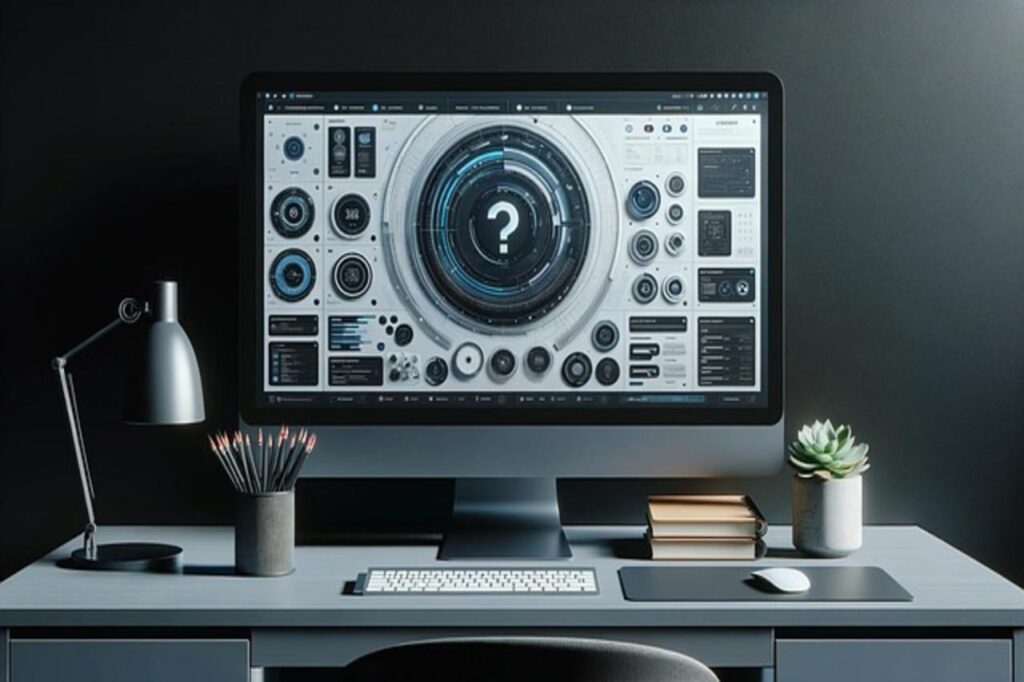
Best desk gadgets for productivity transform chaotic workspaces into focused zones that keep me in my flow all day long. After testing dozens of years of remote work and side jobs, I’ve honed in on gadgets that genuinely sharpen focus, stave off distractions, and minimize physical strain without making a mess of my setup.
The role of desk gadgets in daily productivity
These gadgets go to work on eye strain, posture problems, and notification overload, which are silent killers of productivity. Once these distractions are tackled, deep work will happen naturally, not forced.
- Ergonomics first: Adjustable stands and mice prevent burnout from long hours.
- Lighting and Charging: Proper illumination and charging keep the momentum.
- Minimal Design: These gadgets need to be compact but multifunctional.
Best desk gadgets for productivity
1. Monitor light bar (BenQ ScreenBar Halo style).
I am always using a screen-mounted light bar like BenQ Halo 2 for late nights, with no room for negotiations; it stops eye fatigue when properly directed toward the keyboard without causing screen glare.
- Wireless controls allow brightness and color temperature adjustments.
- There is a backlight glow projected behind the monitor to create a pleasant ambient work environment.
You can really notice stark focus after dark-session appointments—no more squinting against dark corners.
2. Ergonomic productivity mouse (Logitech MX Master series).
With sculpted grip and smart features, Logitech MX Master 4 must be the standard to measure all other desk mice.
- Silicone grips feel premium and robust for heavy everyday use.
- Additional functionality for multi-device switching across laptop, tablet, and desktop.
Horizontal scroll is an absolute game-changer in how I do spreadsheets and timelines.
3. Mechanical wireless keyboard (Satechi SM3).
Slim mechanical keyboards like the Satechi SM3 offer satisfying clicks without desk encumbrance. The low-profile stabilizers turn typing marathons into pure fun.
- Connects to four devices; tapping shortcuts for instant switching.
- Solid build withstands coffee spills and daily abuse.
My typing speed improved by 20%: ideas flow from the mind to the screen faster.
4. Multi-port charging station with retractable cables.
A desk hub fitted with retractable cables takes care of charging free of cable clutter; these are USB-C cables. It is capable of charging phones, earbuds, or even laptops at a maximum of 100W.
- Three AC outlets are provided for monitors and lamps.
- USB-A and USB-C ports for connecting peripherals.
A no-show for charger hunting during calls keeps my setup tidy and ready.
5. Adjustable laptop stand.
Laptop stands, elevating screens to eye level and freeing up space for keyboard,s transform any desk into an ergonomic powerhouse.
- Folds flat and allows travel; it quickly vents heat away from the lap.
- Portable aluminum construction is capable of handling 15-inch machines with ease.
Using this combo with an external keyboard solved my neck hunch in one night.
6. Foot hammock or wobble stool.
Under-desk footrests or wobble stools promote micro-movement to counteract a sedentary slump. Better circulation means sustained energy past lunch.
- Adjustable height for any chair setup.
- Non-slip surfaces prevent slippage during fidgets.
I alternate between sitting types every one hour—productivity remains strong through the afternoon.
7. Noise-canceling earbuds or desk fan.
Tiny desk fans or earbuds-the likes of AirPods Pro-stifle any office chatter and AC hum. White noise completes the focus bubble.
- USB-powered fans that cool off phones.
- Earbuds come with a transparency mode for a quick check-in with the team.
The resulting silence zones allow me to immerse myself in the writing process, unabashedly.
Smart organization gadgets for desk productivity.
8. Cable organizers and magnetic clips.
Magnetic clips and under-desk trays tame wires before they become a tangled mess. Everything has a home, instantly accessible.
- Adhesive hooks for headphones and remotes.
- Tray channels route power strips neatly.
A tidy desk clears mental clutter—tasks start faster.
9. Desk Mat with Wireless Charging.
Desk-type mouse pads that are large enough to act as chargers would give you surface protection with the added feature.
- Smooth fabric for precise mouse tracking.
- Qi zones for phone or watch overnight top-ups.
The gliding of my mouse is just perfect; my phone stays charged up sans any extra plugs.
Tech-forward best desk gadgets for productivity.
10. Smart Notebook (Rocketbook style).
Reusable smart notebooks scan notes to applications while using the phone camera. Get rid of paper stacks forever.
- Works with free applications for searching and sharing.
- Wipe using a damp cloth for endless reuse.
Meeting scribbles within seconds become organized task lists.
11. Mini LED desk lamp with circadian modes.
Smart lamps change color temperatures from warm to cold depending on the time of day, synchronized with natural light cycles for peak alertness.
- Touch controls or app scheduling.
- Auto-dims when you walk away.
Morning cool light to sharply focus; evening warm colors to unwind.
Comparison Of Best Desk Gadgets For Productivity
| Gadget | Key Benefit | Price Range | Space Impact |
| Light Bar | Eye comfort | 100-150 | Monitor top |
| MX Mouse | Workflow speed | 100 | Minimal |
| Mech Keyboard | Typing joy | 80-120 | Keyboard area |
| Charging Hub | Cable-free power | 50-80 | Desk edge |
| Laptop Stand | Posture fix | 30-60 | Under laptop |
Desk gadget setting up-Tips for your Best
Begin with ergonomics-stand, mouse; then lighting, power; trial for a week, discard what does not stick.
- Take the desk measurement first.
- Favor two-in-one functions over those that do just one.
- Ensure compatibility with your OS/device.
Quick productivity wins from my desk gadgets routine.
Gait-train these habits on top of those gadgets for maximal effects:
- Morning reset in 10 min: Wipe mat, recharge everything.
- Hourly posture check via stands.
- Shine the light bar for the creative peak at golden hour.
Small tweaks compound into full workdays of flow.
FAQ: Best Desk Gadgets for Productivity
Which are among the best desk gadgets for productivity without cluttering?
My top picks include light bars for monitors, ergonomic mice such as the MX Master, and adjustable laptop stands. These not only solve the issues of eye strain and posture but also conceal themselves on the desktop-to-small-desk and convert it into an efficient zone without adding bulk.
How to choose the best desk gadgets for productivity that can be gotten at budget prices, say under $100?
Give priority to gadgets that come with multiple uses, for example, cable hubs with retractable cords, or the good old foot hammock; they actually give you a big deal for posture and organization, costing from 30-60 bucks. Hold off on anything flashy until you have set up good lighting systems and mouse grips to set your everyday aches at ease first.
Best desk gadgets for productivity: Do they really help you focus and get more work done?
For sure, good lighting relieves the eye from 50 percent of fatigue; ergonomic inputs fast-track workflows; cable management declutters mental distractions. When I use a light bar, a stand, and a mechanical keyboard, afternoons feel like sustained energy.
What’s the best desk gadget setup for remote workers with a standing desk?
If in-the-moment circulation, glare reduction, and smooth shifting of typing while changing postures is what you are after, then pairing a foot hammock or wobble stool with a monitor light bar and a wireless mechanical keyboard just might be the solution. Throw in a charging hub so you can charge everything in style!
How to maintain the best desk gadget for productivity?
Wiping down mats and lamps once a week, charging the wireless toys at the end of each day, and testing ergonomics by checking stand heights every month would keep them all working for you. Good quality models like Logitech or BenQ will work for years with some tender loving care, staying well away from cheap ones that fall apart in the middle of something important.