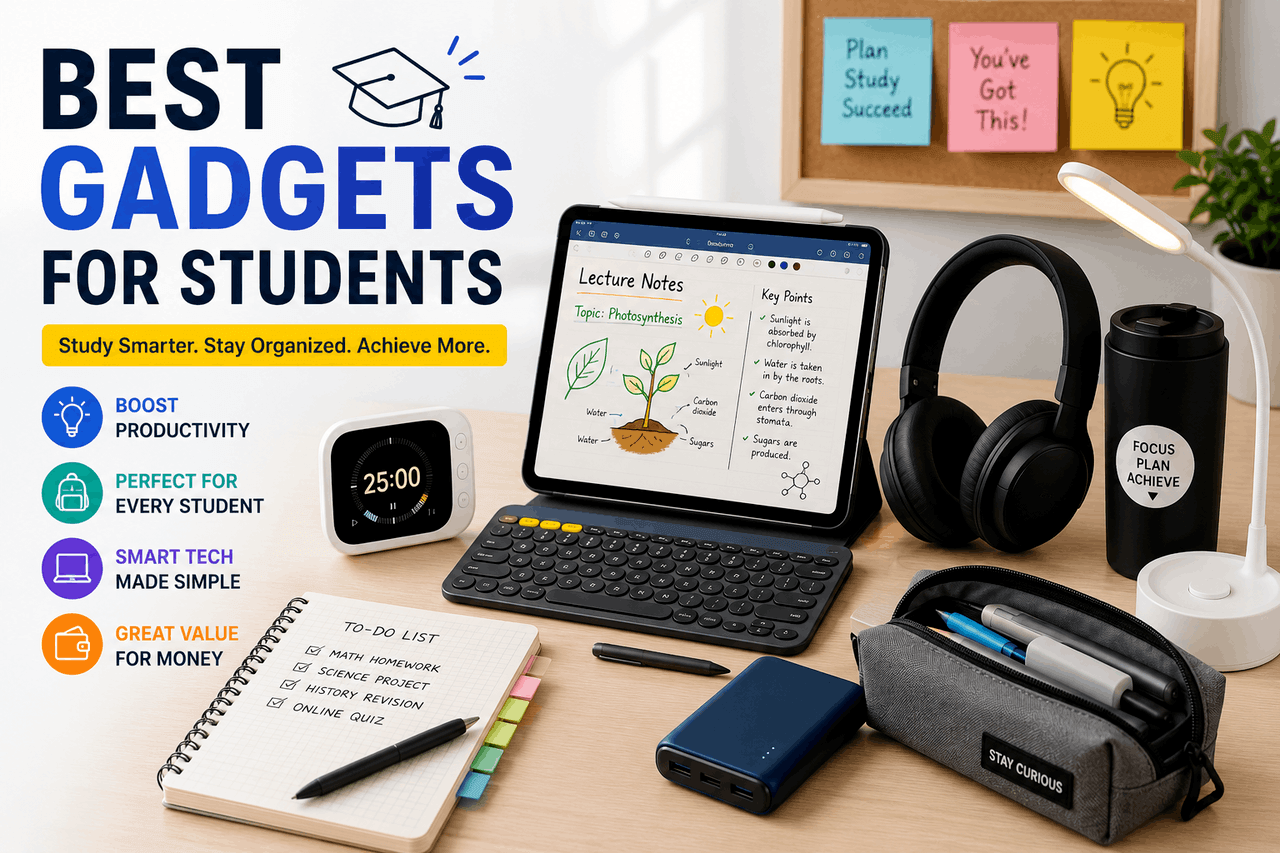
The most useful gadgets for students include a versatile laptop, noise-cancelling headphones, and, when needed, a tablet or smart pen. Choose devices based on your academic major, your budget, and your study habits.
Your backpack is your mobile office. You carry your library, your communication hub, and your creative studio with you to every class. The tools you pack dictate how effectively you manage your time and your energy.
Choosing the right technology requires balancing your academic needs with your financial reality. You face a flooded market of devices making big promises. Some devices will save you hours of frustration. Others will simply drain your bank account and gather dust on your dorm room desk.
This guide argues that the right technology should be chosen for actual utility, not marketing claims. It breaks down the essential devices for modern education, helping you evaluate laptops, tablets, audio gear, and wellness tools based on how well they fit your academic needs, budget, and study habits.
Why are laptops and tablets the core of academic life?
Your primary computing device is the foundation of your academic career. You will use it to write papers, analyse data, attend virtual lectures, and manage your schedule. Choosing the wrong primary device creates daily friction. Choosing the right one makes your work feel seamless.
What should you look for when choosing a student laptop?
The laptop market is divided into ultra-portables, performance machines, and budget Chromebooks. You need a machine that survives the commute, lasts through a day of classes, and runs the software you need.
Overview
A student’s laptop is a portable personal computer that balances battery life, processing power, and physical weight. As a baseline, devices like the Apple MacBook Air M2 or the Dell XPS 13 represent the standard for student computing. They offer all-day battery life and weigh under three pounds.
Who is this for?
Every student needs a primary laptop. English and history majors can rely on base models. Engineering, computer science, and film majors will need performance models with dedicated graphics processing units and additional random-access memory. For most students, the laptop should come before other devices.
Rewards
A high-quality laptop gives you the freedom to work anywhere. You get a full keyboard for long typing sessions, a proper file management system, and the ability to run full desktop software. According to a 2023 survey by Educause, 98% of college students consider a reliable laptop essential to their academic success.
Risks
Premium laptops are expensive. A new Apple MacBook Air costs around $1,099. High-performance Windows machines can easily exceed $2,000. Laptops are also prime targets for theft on college campuses, requiring you to remain vigilant or purchase insurance.
How do tablets add versatility to your studies?
Tablets bridge the gap between your laptop and your paper notebooks. As a result, they offer a touch-first interface that changes how you interact with your reading materials and your class notes.
Overview
Tablets are flat, touch-screen computers. Devices like the Apple iPad Air or the Samsung Galaxy Tab S9 allow you to read digital textbooks, annotate PDF documents directly on the screen, and draw diagrams.
Who is this for?
Tablets are excellent for biology and chemistry students who need to draw complex diagrams. They are also helpful for literature students who read hundreds of pages of digital text each week and want a lighter alternative to carrying a laptop. For these students, a tablet is a useful second device rather than the main one.
Rewards
Tablets weigh less than two pounds and easily slip into any bag. When paired with a digital stylus, they eliminate the need to carry physical notebooks and pens. All your notes are automatically backed up to the cloud.
Risks
A tablet cannot fully replace a laptop for most majors. Typing a 20-page research paper on a tablet keyboard is cramped and uncomfortable. Tablets also run mobile operating systems, which means they cannot run full desktop versions of software like Microsoft Excel or Adobe Premiere Pro.
Which productivity gadgets improve study efficiency and focus?
Focus is a scarce resource on a busy college campus. As a result, distractions are everywhere, from loud roommates to bustling coffee shops. Productivity gadgets help you block out your environment and capture information more effectively.
Why do noise-cancelling headphones help you focus?
Libraries are rarely silent, and dorm rooms are consistently loud. Controlling your auditory environment is the fastest way to find focus.
Overview
Active noise-cancelling headphones use built-in microphones to listen to the ambient sound around you, then play an inverse sound wave to cancel it out. The Sony WH-1000XM5 and the Apple AirPods Pro are current leaders in this category.
Who is this for?
These headphones are for any student who struggles to focus in noisy environments. If you commute on a loud train or study in crowded public spaces, noise cancellation provides immediate relief.
Rewards
You gain the ability to create a quiet study space anywhere. Active noise cancellation reduces low-frequency sounds like aeroplane engines or air conditioning units almost entirely. According to a 2022 study published in the Journal of Cognitive Psychology, students using noise-cancelling headphones in noisy environments showed a 20% improvement in reading comprehension tasks.
Risks
Premium noise-cancelling headphones are a significant investment, typically costing between $250 and $400. Over-ear models can also become physically uncomfortable during long study sessions, causing heat buildup around your ears.
How do smart pens and digital notebooks change note-taking?
The physical act of writing helps you remember information, but paper notebooks are difficult to organise and impossible to search. As a result, digital writing tools offer the best of both worlds.
Overview
Smart pens and digital notebooks digitise your handwriting in real time. Products like the Moleskine Smart Writing Set or the Remarkable 2 tablet capture your physical strokes and convert them into digital files.
Who is this for?
These tools are for students who retain information better when they write it by hand but want the organisational benefits of digital files. They work well for students who need to write equations, draw charts, and take rapid notes during fast-paced lectures. For most students, a laptop complements rather than replaces a textbook.
Rewards
You get the tactile feedback of writing with a pen, which helps retain information. Your notes become searchable text. You can easily share your notes with classmates or access them from your laptop or phone.
Risks
Smart pens require special, proprietary paper, which costs more than standard notebook paper. E-ink tablets like the Remarkable 2 have slow refresh rates and only display in black and white, making them poor choices for reading colour-coded textbooks or watching videos.
What health and wellness gadgets help balance study and self-care?
Academic success requires physical and mental stamina. As a result, sleep deprivation and sedentary study habits will eventually degrade your cognitive performance. Wellness technology helps you track your habits and maintain a baseline of health.
Are fitness trackers and smartwatches useful for students?
Sitting at a desk for ten hours a day takes a toll on your body. Wearable technology provides the data you need to stay active.
Overview
Fitness trackers and smartwatches are wrist-worn devices that monitor your heart rate, step count, and physical activity. Devices like the Fitbit Charge 6 or the Apple Watch SE provide daily metrics and gentle nudges to keep you moving.
Who is this for?
Wearables are for students who sit for long periods and need external motivation to exercise. They are also helpful for managing notifications without constantly pulling out your smartphone.
Rewards
You receive objective data about your physical activity. The device will vibrate to remind you to stand up and stretch during long study sessions. Tracking your daily steps encourages you to take the longer route across campus, improving your cardiovascular health over time.
Risks
Constant notifications on your wrist can become another source of distraction during lectures. Fixating on health metrics can also cause unnecessary anxiety. Furthermore, these devices require daily or weekly charging, adding another cable to your desk setup.
Do sleep trackers and smart lighting improve rest?
Sleep is when your brain consolidates what you learned during the day. Poor sleep equals poor academic performance.
Overview
Sleep trackers monitor your movement and heart rate during the night to determine your sleep stages. Smart lighting, such as the Philips Hue system, lets you adjust your room’s colour temperature to align with your circadian rhythm.
Who is this for?
These tools are for students who struggle with erratic sleep schedules, insomnia, or waking up groggy.
Rewards
You learn exactly how much deep and rapid eye movement sleep you are getting. Smart lighting can eliminate blue light in the evening, helping your brain produce melatonin. According to the National Sleep Foundation [2023], students who maintain consistent sleep schedules score higher on academic tests.
Risks
Sleep trackers only provide data; they cannot force you to go to bed earlier. Smart bulbs are significantly more expensive than standard light bulbs, usually costing around $40 to $50 per bulb.
How can you maximise value on student gadgets without breaking the bank?
You do not need the newest, most expensive technology to succeed in school. The best student gadgets are the ones that meet your needs, fit your budget, and support your study habits without unnecessary cost.
What are the best affordable alternatives for key gadgets?
Every premium gadget has a budget-friendly competitor that provides 80% of the functionality for half the price.
Overview
Alternative brands focus on core features while removing luxury materials and advanced sensors. Instead of a $400 Apple iPad, you can buy a $150 Amazon Fire HD tablet. Instead of $350 Sony headphones, you can buy $80 Soundcore Life Q30 headphones.
Who is this for?
Affordable alternatives are for the pragmatic student who views technology purely as a utility. If you are paying your own way through school or living on a tight budget, these alternatives are the responsible choice.
Rewards
You keep hundreds of dollars in your pocket. A basic Android tablet reads PDF files exactly as well as an iPad Pro. Budget noise-cancelling headphones still block out the hum of the library air conditioner.
Risks
Budget devices usually have shorter lifespans. The build quality involves more plastic and less aluminium. Software updates may stop after just one or two years, leaving your device vulnerable to security flaws.
Is it safe to buy second-hand or refurbished items?
Buying used technology is the most effective way to access premium-tier devices on a student budget.
Overview
Refurbished devices are used electronics that have been inspected, repaired, and tested by professionals. The second-hand market includes direct purchases from individuals through platforms like eBay or Facebook Marketplace.
Who is this for?
Refurbished purchasing is for students who want a premium device, like a MacBook Air or a high-end Dell, but refuse to pay the new retail price.
Rewards
You can save between 15% and 40% off the retail price. Buying directly from a manufacturer’s refurbished store, like the Apple Certified Refurbished store, gives you a device with a new battery, a new outer shell, and the exact same warranty as a brand-new product.
Risks
Buying from individual sellers carries no warranty. You risk buying a device with hidden liquid damage or a failing battery. You must inspect second-hand goods thoroughly and test the charging ports, keyboard, and screen before handing over your money.
How to integrate these gadgets for a successful student life
Technology is only a multiplier of your existing habits. Buying an expensive laptop will not make you write better essays, and buying a sleep tracker will not cure bad time management.
Start by evaluating your actual needs. If your current laptop works fine, keep using it. If the library is too loud, invest in a good pair of headphones. Build your technology toolkit slowly, adding only the devices that solve a specific problem in your daily routine. By making calculated choices and understanding the trade-offs of each device, you will build a digital workflow that supports your education from your first day of class to your graduation.
Frequently Asked Questions
What is the best laptop for a college student?
The Apple MacBook Air M2 is generally the best laptop for most students. It offers all-day battery life, a lightweight design, and enough processing power for general coursework. Windows users should look at the Dell XPS 13 or the Microsoft Surface Laptop. Choose a machine based on the software requirements of your specific major.
Do I really need a tablet if I already have a laptop?
No, a tablet is not strictly necessary if you have a laptop. However, a tablet is highly recommended if you take hand-drawn notes, annotate digital textbooks, or study heavily visual subjects like anatomy or chemistry. If your budget is tight, stick to a reliable laptop.
Are expensive noise-cancelling headphones worth the cost?
Yes, if you study in loud environments. Active noise-cancelling headphones allow you to concentrate in busy dorms or on public transit. If you are on a budget, consider brands like Soundcore or JBL, which offer solid noise cancellation for under $100.
How can I save money on student electronics?
Buy manufacturer-certified refurbished models, use student discounts, and avoid paying for performance you do not need. Apple, Dell, and Microsoft all offer educational pricing. You can also save heavily by purchasing technology that is one or two generations old.
Can I use a Chromebook for college?
You can use a Chromebook if your major only requires web browsing, reading, and writing papers in Google Docs. You should avoid Chromebooks if your major requires specialised software for video editing, coding, or 3D modelling, as ChromeOS cannot run standard desktop applications.