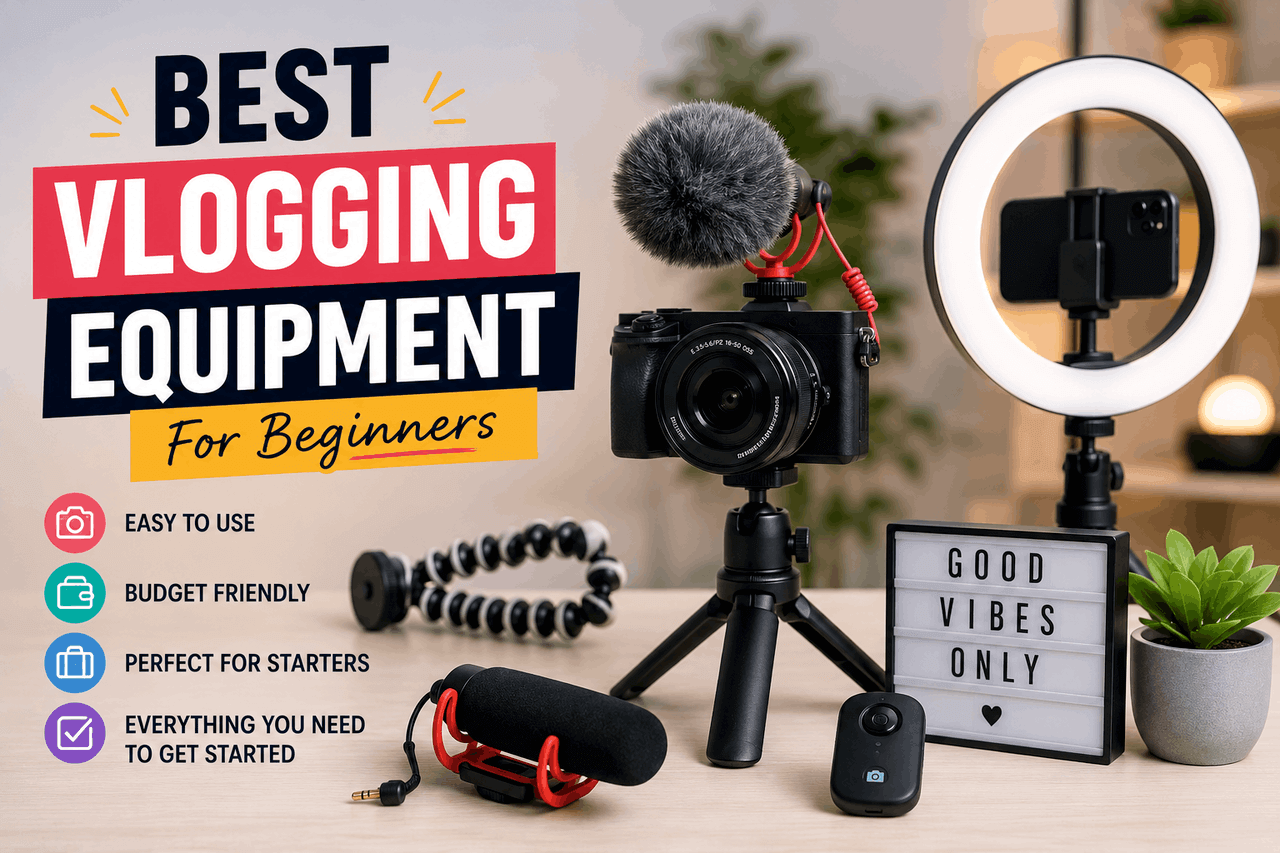
The best vlogging equipment for beginners includes a reliable camera (such as a recent smartphone or the Sony ZV-1), an external microphone (such as the Rode VideoMicro), and a basic lighting setup, like an LED ring light. You can build a complete, high-quality starter kit for under $500 by focusing on good audio and utilizing natural light before upgrading your camera.
Starting a vlog is like opening a small business. You need a clear message, a target audience, and the right tools to deliver your product. Over the past decade, vlogging has transformed from a niche hobby into a mainstream career path. As more creators upload content daily, the platform has become highly competitive. To stand out, you need high-quality video and audio.
High quality does not mean highly expensive. You can produce stunning, professional-looking content without taking out a second mortgage. To do that, focus on the tools that actually improve your final video and avoid the expensive distractions. Your budget should go to the elements viewers notice most, which are often clear audio and good lighting, rather than a high-end cinema camera.
This guide breaks down exactly what you need to build your first vlogging setup. First, we will look at the core gear categories, then compare specific products based on value, and finally help you create a budget that fits your goals. You will learn how to make smart purchasing decisions that give you the best possible return on your investment.
What are the essential categories of vlogging equipment?
Every successful vlogging setup relies on five basic pillars. You do not need the most expensive version of each, but you do need a reliable solution for all five.
First, you need a camera. This is the eye of your vlog. It captures the visual information and dictates the overall resolution of your content. You can use anything from a smartphone to a mirrorless camera.
Second, you need a microphone. Audio is actually more important than video. Viewers will forgive a slightly blurry image, but they will immediately click away if they cannot hear you clearly.
Third, you need lighting. Proper lighting separates amateur videos from professional content. It sets the mood, eliminates distracting shadows, and improves your camera sensor’s performance.
Fourth, you need a tripod or stabilizer. Shaky footage makes viewers dizzy. A simple stabilizer ensures your shots remain smooth and deliberate.
Finally, you need editing software. This is where the raw pieces come together into a finished story. You will use this software to cut mistakes, add music, and colour-correct your footage.
Which cameras are best for beginner vloggers?
Your camera is the foundation of your visual setup. As a beginner, you have three main options: smartphones, compact cameras, and mirrorless cameras. Traditional DSLRs are bulky and mostly outdated for modern vlogging, so focus on lighter, more modern alternatives.
How can you use your smartphone for vlogging?
Modern smartphones are excellent vlogging cameras. If you own a recent Apple iPhone or a flagship Android device like the Samsung Galaxy or Google Pixel, you already have a camera capable of shooting 4K video.
Smartphones are incredibly convenient. They fit in your pocket, require no setup, and let you edit and upload directly from the device. However, smartphones have small image sensors. They struggle in low-light environments, producing grainy footage when you shoot indoors without dedicated lighting. They also suffer from poor internal audio capture.
If you choose to use your smartphone, invest in a few specific accessories. Add a clip-on external lens to widen your field of view, and purchase a dedicated smartphone gimbal to keep your walking shots steady.
What are the best compact cameras for vlogging?
Compact cameras, also known as point-and-shoots, are excellent intermediate steps. They offer larger sensors than smartphones, meaning they perform much better in low light and provide a slight background blur.
The Sony ZV-1 is widely considered the standard for beginner vloggers. It features a flip-out screen, built-in neutral density filters for shooting in bright sunlight, and excellent autofocus that quickly tracks your face. The Canon PowerShot G7 X Mark III is another strong option, popular among lifestyle vloggers for its pleasing colour science. The Panasonic Lumix DMC-LX10 offers similar performance at a competitive price point.
Compact cameras are good for creators who want dedicated video equipment but do not want the hassle of changing lenses. Be aware that you cannot upgrade a compact camera’s lens later, so you are locked into the lens’s focal length.
When should you upgrade to a mirrorless camera?
Mirrorless cameras are the sports cars of the vlogging world. They feature large APS-C or full-frame sensors and allow you to swap lenses based on your needs. This flexibility makes them powerful tools for creators who want a more cinematic look.
The Sony Alpha a6100 and a6400 are excellent entry points, offering industry-leading autofocus and sharp 4K video. The Canon EOS M50 Mark II is highly praised for its user-friendly menu system and affordable lens ecosystem. The Fujifilm X-T200 provides exceptional colour straight out of the camera, saving you time in the editing room.
Mirrorless cameras can be expensive, often costing between $600 and $1,000 for the body alone. You also need to purchase lenses separately. So, choose a mirrorless camera if you have a larger budget and a desire to learn the technical aspects of photography and videography.
Why is audio equipment crucial for vlogging?
Bad audio ruins good video. Most cameras and smartphones feature terrible internal microphones that pick up wind, traffic, and room echo. An external microphone is the single most important investment you can make for your vlog.
What are the different types of vlogging microphones?
Lavalier or lapel microphones clip directly onto your shirt. They are excellent for isolating your voice in noisy environments because they sit just inches from your mouth. The Rode SmartLav+ is a reliable wired option that plugs directly into a smartphone. For more freedom of movement, wireless systems like the Hollyland Lark M1 transmit crisp audio to your camera without tying you down with cables.
Shotgun microphones mount directly to the top of your camera. They are highly directional, meaning they pick up sound from wherever the camera is pointing while rejecting noise from the sides and rear. The Rode VideoMicro is a compact, affordable choice that requires no batteries. The Deity V-Mic D3 Pro offers superior sound quality and an adjustable gain dial for more advanced users.
USB microphones sit on your desk and plug directly into your computer. These are ideal for voiceovers, gaming streams, or seated tutorial videos. The Blue Yeti is the industry standard for beginners, while the Rode NT-USB Mini offers a smaller footprint with similarly excellent sound.
How should you light your vlog?
Cameras need light to process images cleanly. If you do not provide enough light, your camera will artificially boost its sensitivity, resulting in ugly, noisy footage.
What is the best way to use natural light?
Natural light is completely free and often looks better than artificial setups. The sun provides a powerful, soft light source when used correctly.
To utilize natural light, always position yourself facing a large window. The light will hit your face evenly, creating a flattering look. Never shoot with a bright window directly behind you. This forces your camera to expose for the bright background, turning your face into a dark silhouette.
Are ring lights and LED panels worth the investment?
Natural light is unpredictable. So, if you film at night or on a cloudy day, you need artificial lighting.
Ring lights are very popular for solo vloggers. They consist of a circular LED strip that mounts around your camera lens. Ring lights cast an even, shadowless light across your face and create a distinct circular catchlight in your eyes. They are relatively inexpensive and very easy to set up.
LED panel lights are more versatile. Products like the Neewer 2-Pack Dimmable 660 LED or the Godox SL60W allow you to adjust the brightness and colour temperature. You can position one panel as your main light and use a second panel to light your background or separate you from the wall behind you. LED panels are best for creators who shoot in a dedicated studio space.
How do you keep your camera steady?
A wobbly camera makes your vlog look cheap. So, you need tools to hold the camera steady when you sit down, and tools to smooth out the bumps when you walk.
What are the best tripods and gimbals for beginners?
Mini tripods are essential for vloggers. You can set them on a desk for static shots or hold the legs together to use them as an extended handle while walking. The Joby GorillaPod 3K Kit features flexible legs that you can wrap around tree branches or fences for unique angles. The Manfrotto Pixi Evo 2 is a rigid, sturdy alternative that fits easily into a small backpack.
Full-size tripods are necessary if you conduct standing interviews or need to film yourself in a large room. You can find solid starter tripods for under $50, but ensure they can support the weight of your camera setup.
Gimbals are motorized stabilizers that actively counteract your hand movements. They produce buttery-smooth, cinematic walking shots. The DJI Osmo Mobile series is perfect for smartphone users. If you use a compact or mirrorless camera, the Zhiyun Crane M2 can handle the extra weight while keeping your footage perfectly level.
Which editing software should beginners use?
Once you finish recording, you must edit the footage. Editing is where you trim the dead air, arrange your narrative, and add polish to your vlog. This is the final step before publishing, where your raw footage becomes a finished video.
There are several excellent free options for beginners. DaVinci Resolve is a professional-grade editor used in Hollywood, and its basic version is completely free. It has a steep learning curve but offers incredible colour correction tools. HitFilm Express is another powerful free option with great visual effects capabilities. If you use an Apple computer, iMovie is incredibly intuitive and comes pre-installed. Windows users can start with the built-in Video Editor app.
If you are willing to pay for software, Adobe Premiere Pro and Apple Final Cut Pro are the industry standards. They require monthly subscriptions or large upfront fees, but they offer unmatched efficiency, massive libraries of tutorials, and seamless integration with other creative apps.
What extra accessories do you need for vlogging?
Beyond the main equipment, a few small accessories will save you from major headaches.
Always carry extra batteries and SD cards. Recording 4K video drains camera batteries quickly and fills up storage space in a matter of hours. Running out of storage or power in the middle of a great vlog is a frustrating mistake that is entirely avoidable.
You will also want an external hard drive. Video files are massive. If you store them all on your laptop’s internal drive, you will run out of space within a month. Purchase a 1TB or 2TB external SSD to safely archive your old footage.
Finally, consider the background of your video. You do not necessarily need a paper backdrop, but simple props like a plant, a lamp, or a bookshelf can make your filming space look much more inviting. If you script your videos heavily, a small teleprompter that attaches to your camera lens can help you maintain eye contact with the audience while reading your lines.
How much should you budget for your first vlogging setup?
Budgeting requires honesty about your current financial situation and your vlogging goals. You do not need to buy everything at once.
An entry-level setup costs between $50 and $150. At this tier, you use the smartphone you already own. You spend your budget on a reliable lavalier microphone, a basic ring light, and a mini tripod. This provides a massive jump in quality over a bare phone.
A mid-tier setup costs between $500 and $800. Here, you upgrade to a dedicated compact camera like the Sony ZV-1. You add a shotgun microphone, a small LED panel, and perhaps a smartphone gimbal for b-roll footage.
A high-end beginner setup costs between $1,000 and $1,500. At this level, you purchase an entry-level mirrorless camera with a versatile kit lens. You invest in a wireless microphone system, a two-point LED lighting kit, and a heavy-duty tripod.
Choose the entry-level tier if you are just testing the waters to see if vlogging is a hobby you enjoy. Choose the higher tiers only if you have the budget and a firm commitment to posting consistently.
Ready to build your vlogging kit?
Starting a vlog is an exciting, creative endeavour. The equipment you choose will dictate how easily you can bring your ideas to life. Start with the gear you have, invest heavily in good audio, and learn to master natural lighting. As your channel grows and your skills improve, you can slowly upgrade your cameras and lenses to match your new abilities. Focus on telling a great story, and the technical quality will naturally follow.
Frequently asked questions about beginner vlogging.
Do I really need a dedicated camera to start a vlog?
No. You can start a vlog using a modern smartphone. Smartphones offer excellent video quality for beginners. You should upgrade to a dedicated camera only when you feel limited by your phone’s low-light performance or its lack of lens options.
What is the most important piece of equipment for a vlogger?
An external microphone is your most important investment. Poor audio is the number one reason viewers stop watching a video. A $50 external microphone will improve your vlog much more than a $1,000 camera upgrade.
How much does editing software cost?
You can find powerful editing software for free. Programs like DaVinci Resolve, iMovie, and HitFilm Express cost nothing to download and use. Paid professional software typically costs around $20 to $30 per month.
Can I use natural light instead of buying professional lights?
Yes. Natural light from a large window is often more flattering than cheap artificial lighting. Position yourself so the light evenly illuminates your face. You only need to buy lights if you plan to film at night or in windowless rooms.