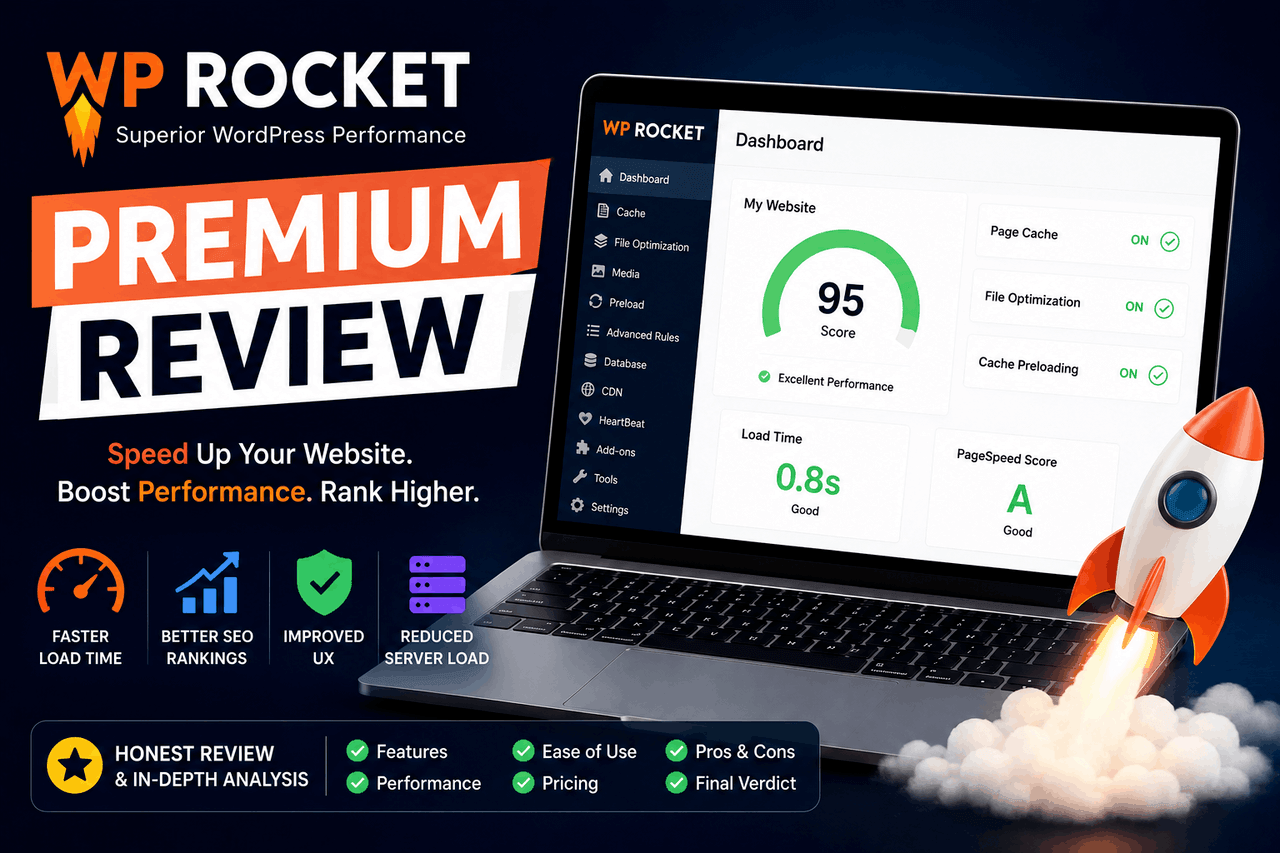
WP Rocket Premium is a WordPress caching plugin that improves website loading times by reducing file sizes and storing static copies of your web pages. Choose WP Rocket if you want a beginner-friendly performance solution that requires zero coding. You’ll want to consider free alternatives like LiteSpeed Cache if you have a highly technical background and a strict budget.
In the world of website management, a slow website is a closed storefront. If a visitor clicks your link and stares at a blank screen for more than a few seconds, they leave. According to a 2019 study by Portent, website conversion rates drop by an average of 4.42% with each additional second of load time. Speed dictates whether your visitors read your content, buy your products, or return to the search results.
Improving website speed usually requires a deep understanding of server configurations and code. You have to minify scripts, manage database queries, and set up complex caching rules. This creates a high barrier to entry for the average website owner.
WP Rocket Premium exists to remove that barrier. It is a premium WordPress caching plugin that automatically speeds up your website upon activation. This review covers the features WP Rocket provides, the real-world impact it has on site speed, and how it compares to other solutions on the market. By the end, you will know exactly if this tool makes sense for your specific website.
What features does WP Rocket Premium include?
WP Rocket groups its features into distinct categories based on how they improve your website.
How does WP Rocket manage page caching?
Page caching is the core function of WP Rocket. When a user visits your WordPress site, your server normally has to process PHP scripts and query your database to build the page. This takes time. Page caching creates a static HTML version of your page and serves it directly to visitors.
WP Rocket activates page caching the moment you turn the plugin on. It also enables browser caching, which tells visitors’ web browsers to store commonly used files locally. The plugin also handles cache preloading. Instead of waiting for a human visitor to trigger the cache creation, WP Rocket sends a bot to simulate a visit, ensuring your pages are cached and ready before real users arrive.
How does file minification work in WP Rocket?
WordPress themes and plugins rely on HTML, CSS, and JavaScript files to function. These files often contain unnecessary whitespace, comments, and line breaks that increase their file size.
WP Rocket removes this unnecessary code through a process called minification. Smaller files download faster. The plugin also concatenates files, combining multiple CSS or JavaScript files into a single file to reduce the number of requests your server handles. Additionally, WP Rocket can defer JavaScript loading. This means your website will load the visible content first, and load the heavier interactive scripts only after the core page is visible to the user.
How does WP Rocket handle media files?
Images and videos are typically the largest files on any given web page. WP Rocket manages these heavy assets using a technique called LazyLoad.
Instead of loading every image on a page the moment a user clicks your link, LazyLoad only downloads the images visible on the user’s screen. As the user scrolls down, the remaining images load just before they come into view. This significantly reduces initial loading times. WP Rocket also automatically adds missing image dimensions to your HTML, preventing layout shifts and improving your Core Web Vitals score.
How does database cleanup improve performance?
Over time, your WordPress database accumulates unnecessary data. Every time you save a draft, WordPress creates a revision. Spam comments and deleted items also sit in your database, making it larger and slower to query.
WP Rocket includes a dedicated database cleanup tool. You can schedule automatic cleanups to remove post revisions, auto-drafts, spam comments, and transient options. A smaller database responds to queries faster, which keeps your WordPress admin dashboard running smoothly.
Does WP Rocket work with Content Delivery Networks?
A Content Delivery Network (CDN) stores copies of your website files on servers located all around the world. When a user in London visits your site, they download files from a UK server rather than your main server in New York.
WP Rocket integrates directly with most major CDNs. You simply enter your CDN’s CNAME record in the WP Rocket dashboard, and the plugin automatically rewrites your asset URLs. They also offer their own service, RocketCDN, for an additional fee.
How does the Heartbeat control feature work?
The WordPress Heartbeat API facilitates real-time communication between your web browser and the server. It allows features like auto-saving and showing when another author is editing a post. However, this constant communication consumes server resources. WP Rocket lets you reduce the frequency of the Heartbeat API or disable it entirely in specific areas of your site, freeing up server processing power.
How much does WP Rocket improve website speed?
The actual performance improvement you see depends on your web host, your theme, and the size of your website. However, the results are generally substantial.
What are the typical before and after speed test results?
Consider a standard WordPress blog running a heavy page builder like Elementor. Before installing a caching plugin, a Pingdom speed test might show a load time of 3.2 seconds and a page size of 2.5 megabytes.
After installing WP Rocket and enabling minification and LazyLoad, that same page will often drop to a load time of around 1.1 seconds, with the initial page size shrinking to under 1 megabyte. According to data from WP Rocket (2023), most users experience a 40% to 60% reduction in load times by simply activating the default settings.
How do specific features contribute to these results?
Each feature targets a different bottleneck. Page caching eliminates server processing time, lowering your Time to First Byte (TTFB). LazyLoad drastically reduces the initial data payload, thereby speeding up First Contentful Paint (FCP). Deferring JavaScript ensures that render-blocking scripts do not delay the display of your text and images.
How easy is WP Rocket Premium to install and use?
Many caching plugins present the user with a wall of technical jargon and hundreds of checkboxes. WP Rocket takes a different approach.
What does the installation process involve?
You purchase the plugin, download the ZIP file, and upload it to your WordPress dashboard. The moment you click “Activate,” WP Rocket applies its default caching rules. For many websites, this single click is enough to see a massive speed improvement.
How is the user interface structured?
The dashboard is clean and organised into logical tabs, such as “Cache,” “File Optimisation,” and “Media.” Each setting includes a plain-English explanation of what it does. If a specific setting poses a high risk of breaking your website layout — such as advanced JavaScript deferral — the plugin warns you directly.
Does it conflict with themes and plugins?
WP Rocket boasts high compatibility with popular WordPress managed hosts, page builders, and ecommerce plugins. They maintain a list of automatic exclusions. For example, if you run WooCommerce, WP Rocket automatically knows not to cache the checkout or cart pages. This prevents the disastrous scenario of one customer seeing another customer’s shopping cart.
How much does WP Rocket Premium cost?
WP Rocket does not offer a free version. You must purchase an annual license to receive updates and support.
What are the different license plans?
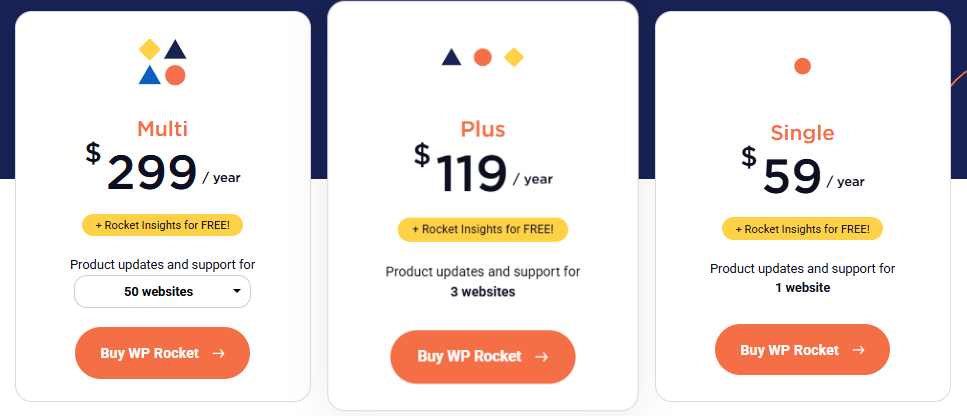
WP Rocket offers three pricing tiers:
- Single: Costs $59 per year and covers one website.
- Plus: Costs $119 per year and covers up to three websites.
- Infinite: Costs $299 per year and covers an unlimited number of websites.
What is the return on investment?
If you run a hobby blog, $59 a year might feel steep. If you run a business website, the return on investment is clear. Faster websites rank higher in search engines and retain more visitors. Gaining just one additional customer due to a faster website easily covers the cost of the plugin for the entire year. Furthermore, the time you save by not having to manually configure a complex free plugin is highly valuable.
How does WP Rocket compare to other caching plugins?
The WordPress repository is full of free caching plugins. You’ll want to consider how WP Rocket stacks up against the most popular alternatives.
How does it compare to LiteSpeed Cache and W3 Total Cache?
LiteSpeed Cache is a powerful free plugin, but it requires your web host to use a LiteSpeed server to unlock its full potential. W3 Total Cache is also free and highly customizable, but its settings menu is notoriously complex and intimidating for beginners.
What are WP Rocket’s unique selling points?
WP Rocket is the Apple of caching plugins. Its main selling point is convenience. You are paying for a premium user experience, reliable customer support, and automatic configurations that work out of the box. You do not need to be a server administrator to get the most out of WP Rocket.
What are the risks and drawbacks of using WP Rocket?
No software is perfect. You must consider a few potential issues before purchasing a license.
Are there any known conflicts?
Minifying and combining JavaScript files carries inherent risk. Sometimes, changing the order in which scripts load causes interactive elements on your site — like sliders or mobile menus — to break. If this happens, you have to manually identify the problematic script and exclude it from minification within the WP Rocket settings.
How does it handle highly dynamic websites?
If you run a complex membership site or an active forum, caching becomes difficult. These sites rely on showing unique, dynamic content to logged-in users. While WP Rocket can bypass cache for logged-in users, the performance benefits will mostly apply to your logged-out visitors.
Should you buy WP Rocket Premium for your website?
WP Rocket Premium delivers on its promise to speed up WordPress websites without requiring technical expertise.
Overview of pros and cons
The rewards of using WP Rocket include immediate speed improvements, a beginner-friendly interface, and excellent customer support. The risks include potential layout breaks during testing of advanced file minification and the ongoing cost of an annual premium license.
Final recommendation
Choose WP Rocket Premium if you value your time and want a reliable, set-it-and-forget-it performance solution. It is an excellent choice for business owners, bloggers, and agencies who need fast websites without the headache of manual configuration.
If you are comfortable writing code, enjoy tinkering with server settings, and have zero budget, you might prefer a free alternative like W3 Total Cache.
If you decide WP Rocket fits your needs, purchase a license, activate the plugin, and run a speed test to see the immediate difference.
FAQs about WP Rocket Premium
Does WP Rocket offer a free trial?
WP Rocket does not offer a free trial or a free version. They do provide a 14-day money-back guarantee. If the plugin breaks your site or fails to improve your load times, you can request a full refund within two weeks of purchase.
Will WP Rocket work with my web host?
Yes. WP Rocket is compatible with almost all web hosts. Many managed WordPress hosts, such as WP Engine and Kinsta, have specific caching rules. Still, they permit WP Rocket because it handles file and media management seamlessly alongside their server-level caching.
Do I still need a CDN if I use WP Rocket?
You do not strictly need a CDN, but using one alongside WP Rocket provides the best results. WP Rocket makes your website faster by efficiently preparing files; a CDN makes your website faster by physically delivering those files from a server closer to your visitors.
Does WP Rocket speed up the WordPress admin area?
Caching plugins primarily speed up the front end of your website for visitors. WP Rocket does not cache the back end. However, features like database cleanup and Heartbeat control will make your admin dashboard feel significantly more responsive.