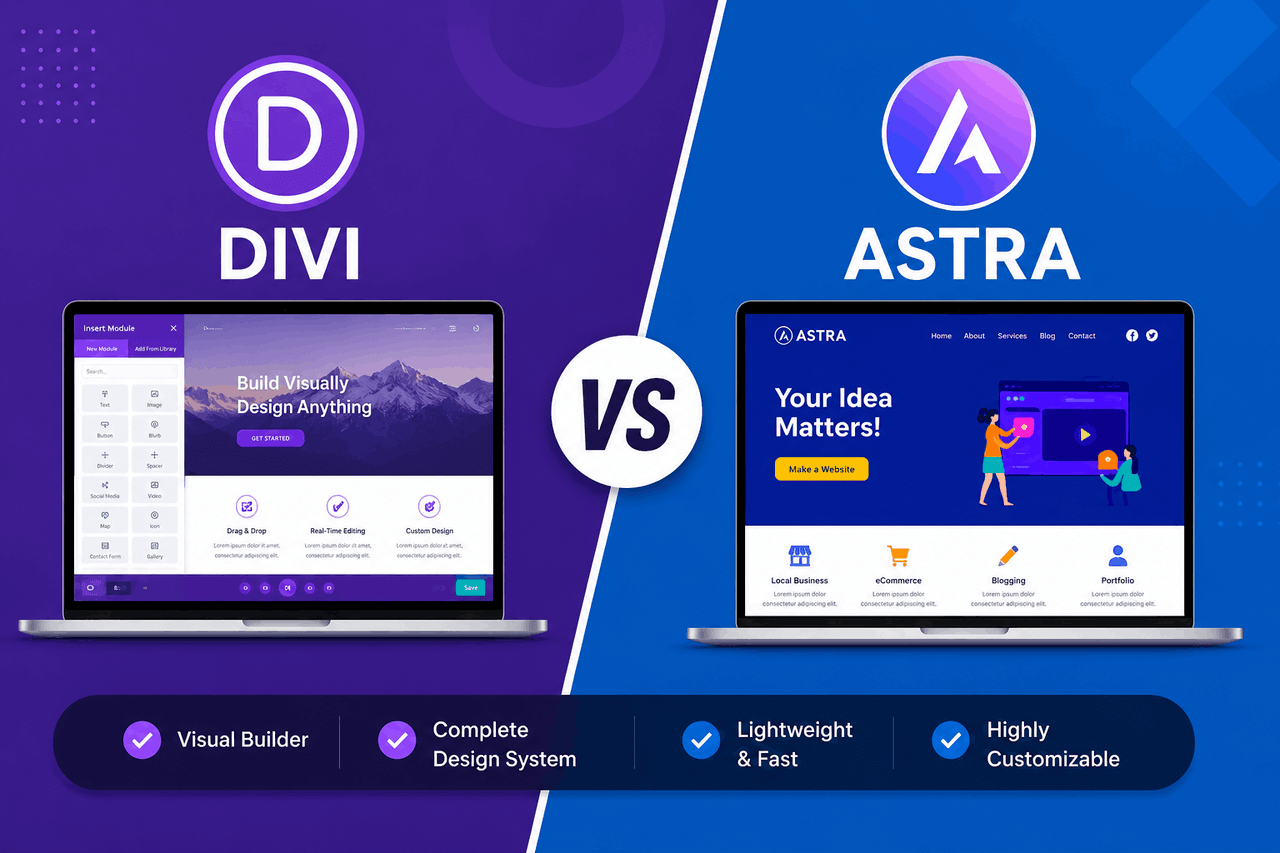
Choose the Astra theme if you want a lightweight, fast-loading foundation that pairs perfectly with page builders like Elementor or Beaver Builder. Choose the Divi theme if you prefer an all-in-one package with a built-in visual builder, lifetime pricing, and extensive design controls right out of the box.
Building a WordPress website often feels like standing in an endless hardware store. You have thousands of tools to choose from, and picking the wrong one can cost you hours of frustration. When it comes to WordPress themes, Divi and Astra are among the most popular options on the market. Both command massive user bases and power millions of websites globally.
These two themes take completely different approaches to website design. Divi is a fully equipped toolbox. It comes with its own page builder, meaning you get everything you need in one download. Astra is more like a high-performance engine. It provides a lightning-fast foundation and expects you to bring your preferred tools—like Elementor or the native block editor—to finish the job.
Understanding this fundamental difference will save you time and money. You will want to consider your technical experience, your budget, and the specific needs of your website project before making a decision. This guide breaks down how the Divi and Astra themes compare in performance, pricing, and day-to-day use.
How Do the Core Features of Divi and Astra Compare?
The core features of a WordPress theme determine how much time you will spend building your site. Here is how Divi and Astra approach the actual building process.
How does the Divi Builder compare to Astra’s compatibility with Elementor?
Divi relies entirely on the Divi Builder. This is a proprietary visual editor created by Elegant Themes. The Divi Builder lets you edit your website on the front end, so you see exactly what your visitors see as you make changes. You drag and drop elements, adjust margins, and apply animations without ever writing a line of code. It is a closed system. You use Divi tools to build a Divi website.
Astra takes the opposite route. It does not include a proprietary page builder. Instead, the Astra theme serves as a blank canvas, integrating seamlessly with third-party page builders like Elementor, Beaver Builder, and the WordPress Gutenberg block editor. If you already know how to use Elementor, Astra gets out of your way and lets you work.
Which WordPress theme performs better for website speed and Core Web Vitals?
Website speed matters for your visitors and for search engines. On this front, the Astra theme has a clear advantage. Astra is built for speed. The base theme requires less than 50 kilobytes of resources and loads in under half a second on a standard WordPress installation. It does not use jQuery, which removes a common source of render-blocking delays.
The Divi theme is much heavier. Because it includes a complex visual builder and hundreds of design modules, the underlying code is larger. Elegant Themes has released multiple updates to improve Divi’s speed, introducing features like dynamic CSS and deferring non-critical styles. These improvements help significantly. Still, an out-of-the-box Divi installation will generally load slower than a bare Astra installation. You will need a good caching plugin and a solid web host to keep a Divi site running fast.
What customisation options do Divi and Astra offer for headers and footers?
Both themes give you complete control over your site’s header and footer, but in different ways. The Divi theme uses the Divi Theme Builder. This feature lets you design custom headers, footers, and archive pages using the same visual drag-and-drop interface you use for regular pages. You can assign different headers to different parts of your site, giving you total creative control.
The Astra theme relies on the Astra Header Footer Builder. This is an intuitive tool located inside the standard WordPress customizer. It provides a visual grid for dragging and dropping elements such as your logo, primary menu, search bar, and social icons. If you upgrade to Astra Pro, you gain access to more advanced sticky headers and conditional display rules.
How do the pre-built starter sites and templates compare?
Starting from a blank screen is intimidating. Both themes solve this by offering massive libraries of pre-built websites.
The Divi theme includes over 2,000 pre-made layout packs. These layouts are highly stylised and cover almost every industry imaginable. You can import an entire multi-page website or mix and match individual page layouts from different packs. The designs are modern and rich with animations.
The Astra theme offers Starter Templates. You can browse over 240 complete website templates, but the number you can access depends on your page builder choice and your license tier. Astra’s templates tend to be cleaner and more minimalist than Divi’s layouts. The import process is remarkably smooth. You install the Starter Templates plugin, choose your preferred page builder, pick a design, and click import.
What is the User Experience Like for Beginners and Experts?
A WordPress theme is only useful if you can navigate its interface.
Is the learning curve steeper for the Divi theme or the Astra theme?
The Divi theme has a noticeable learning curve. Because it uses its own interface, you have to learn the “Divi way” of doing things. The builder relies heavily on hover menus, colored sections, and nested settings panels. A beginner might feel overwhelmed by the sheer volume of options visible at any given time. Once you grasp the logic, it becomes incredibly fast. But the first few days can be frustrating.
The Astra theme is much easier for beginners to grasp initially. Because Astra uses the native WordPress customizer for its global settings, the interface feels familiar. If you choose to build with Gutenberg, the learning curve is almost nonexistent. If you use Elementor alongside Astra, you will have to learn Elementor’s interface, but Astra itself remains firmly in the background.
How do Divi and Astra compare for documentation and customer support?
Both companies provide excellent support, but they deliver it through different channels. Elegant Themes maintains a massive, highly detailed documentation library for Divi. They also run a very active YouTube channel and a blog packed with step-by-step tutorials. If you need direct help, Divi offers 24/7 live chat support for all active license holders.
Brainstorm Force, the company behind Astra, also offers a deep knowledge base. Their documentation is clear, well-organised, and frequently updated. Direct support for Astra Pro users is handled via a ticketing system. They do not offer live chat, which means you might wait a few hours for a response to a complex technical issue. Both themes have massive Facebook communities where users help each other daily.
How Do Divi and Astra Compare on Pricing and Overall Value?
Pricing is often the deciding factor for many website creators. Both themes offer compelling value, but their licensing models cater to different types of buyers.
What are the differences between lifetime and annual licensing models?
The Astra theme is available in the WordPress repository as a free version. This free version is functional but limited. To unlock the real power, you need Astra Pro, which costs $59 per year. They also offer higher tiers, like the Essential Toolkit and Ultimate Workspace, which bundle additional plugins. You can purchase lifetime licenses for Astra, but they represent a significant upfront investment.
The Divi theme does not have a free version. You must purchase a license to use it. However, Elegant Themes offers one of the best deals in the WordPress ecosystem. You can pay $89 per year or a flat $249 for lifetime access. Both plans allow you to install Divi on an unlimited number of websites.
What features are included in the price for each WordPress theme?
When you buy a Divi license, you get access to the Divi theme, the Divi Builder plugin, the Extra magazine theme, the Bloom email opt-in plugin, and the Monarch social sharing plugin. You get everything Elegant Themes makes for one price.
When you buy Astra Pro, you get the premium add-on for the Astra theme. This unlocks advanced typography, colour controls, better WooCommerce integrations, and advanced blog layouts. If you want the premium Starter Templates, you have to buy the more expensive Essential Toolkit tier.
How Do These Themes Handle Built-in SEO and Mobile Responsiveness?
Your website needs to look good on phones and perform well in search engines. Both themes handle these requirements well, but with different approaches.
What built-in SEO features help with search engine rankings?
The Astra theme incorporates excellent schema markup directly into its code. This helps search engines understand the context of your pages. Astra’s lightweight code also means your site will pass Google’s Core Web Vitals assessments much more easily, which is a direct ranking factor.
The Divi theme handles SEO slightly differently. It lets you add custom meta descriptions and titles directly in the builder, though most users will still prefer a dedicated SEO plugin like Yoast or RankMath. Divi’s heavier code means you will need to pay closer attention to caching and image compression to ensure your page speed does not negatively impact your search rankings.
How well do Divi and Astra perform on mobile devices?
Both themes are fully responsive out of the box. The Divi Builder allows you to preview your site in tablet and mobile views. More importantly, Divi lets you adjust text sizes, margin spacing, and even hide specific elements based on the device the visitor is using.
Astra also offers excellent mobile responsiveness. The mobile header breakpoint is easily adjustable in the customizer. Because Astra is so lightweight, Astra sites tend to load incredibly fast on mobile networks, which provides a better experience for users on slow cellular connections.
What Are the Main Pros and Cons of Divi and Astra?
To make your decision easier, here is a clear breakdown of the advantages and disadvantages of each theme.
The Divi Theme Pros:
- You get an all-in-one package with a theme and a visual builder.
- The lifetime pricing model offers agencies incredible value.
- You have total design control over every element on the page.
- You can use it on an unlimited number of websites.
The Divi Theme Cons:
- The proprietary builder has a steep learning curve.
- The theme is heavy and requires good hosting to load quickly.
- If you deactivate the theme, it leaves shortcodes behind in your content.
The Astra Theme Pros:
- The theme is incredibly lightweight and loads exceptionally fast.
- You can use a fully functional free version.
- It integrates seamlessly with popular builders like Elementor.
- The interface uses the familiar WordPress customizer.
The Astra Theme Cons:
- You have to rely on third-party plugins for visual page building.
- The premium starter templates are locked behind higher pricing tiers.
- You do not get live chat support.
Who Should Choose Divi, and Who Should Choose Astra?
Your specific situation should dictate which theme you purchase.
When is the Divi theme the best choice for your project?
The Divi theme is an excellent choice for a freelance web designer who wants to purchase one tool and use it for every client project. The $249 lifetime license pays for itself after just one or two client builds. Divi is also ideal for users who want complex, highly stylised designs with scroll effects and animations, without installing extra plugins. If you prefer having all your tools built by the same company, Divi is the right path.
When is the Astra theme the best choice for your project?
The Astra theme is the best choice if page speed is your absolute highest priority. It is perfect for bloggers who want a clean, fast-loading site that uses the native WordPress block editor. Astra is also the logical choice if you already own and prefer using Elementor or Beaver Builder. You get a fast foundation that lets your preferred builder do the heavy lifting.
Making Your Final Choice Between Divi and Astra
Both Divi and Astra represent the peak of modern WordPress theme development. They serve different philosophies.
You should choose Astra if you value speed, simplicity, and the freedom to mix and match your preferred page-building tools. You should choose Divi if you value a complete, integrated design system at a single lifetime price. Evaluate your budget, test the free version of Astra, and review the Divi demo online. Whichever path you choose, you will have a capable foundation for your website.
FAQs About Divi and Astra
Is Divi slower than Astra?
Yes, a default Divi installation loads slower than a default Astra installation. Divi contains a complex visual builder and more underlying code, whereas Astra is built specifically as a lightweight framework. You can make Divi load fast, but it requires more effort with caching plugins and server adjustments.
Can I use Elementor with the Divi theme?
You can technically install Elementor on a site running the Divi theme, but you should avoid doing so. Running two heavy visual page builders on the same website will cause significant performance issues and potential plugin conflicts. If you want to use Elementor, you should pair it with Astra instead.
Do I have to renew my Divi license every year?
You only have to renew your Divi license annually if you choose the $89 yearly plan. Elegant Themes also offers a $249 one-time payment option. This lifetime license grants you permanent access to all theme updates and customer support without any future renewal fees.
Is the free version of Astra good enough for a business website?
The free version of Astra is highly capable and can easily run a basic business website. It provides a solid, fast-loading foundation and basic customisation options. However, if you need advanced header designs, extensive colour controls, or deep WooCommerce integrations, you will need to purchase an Astra Pro license.