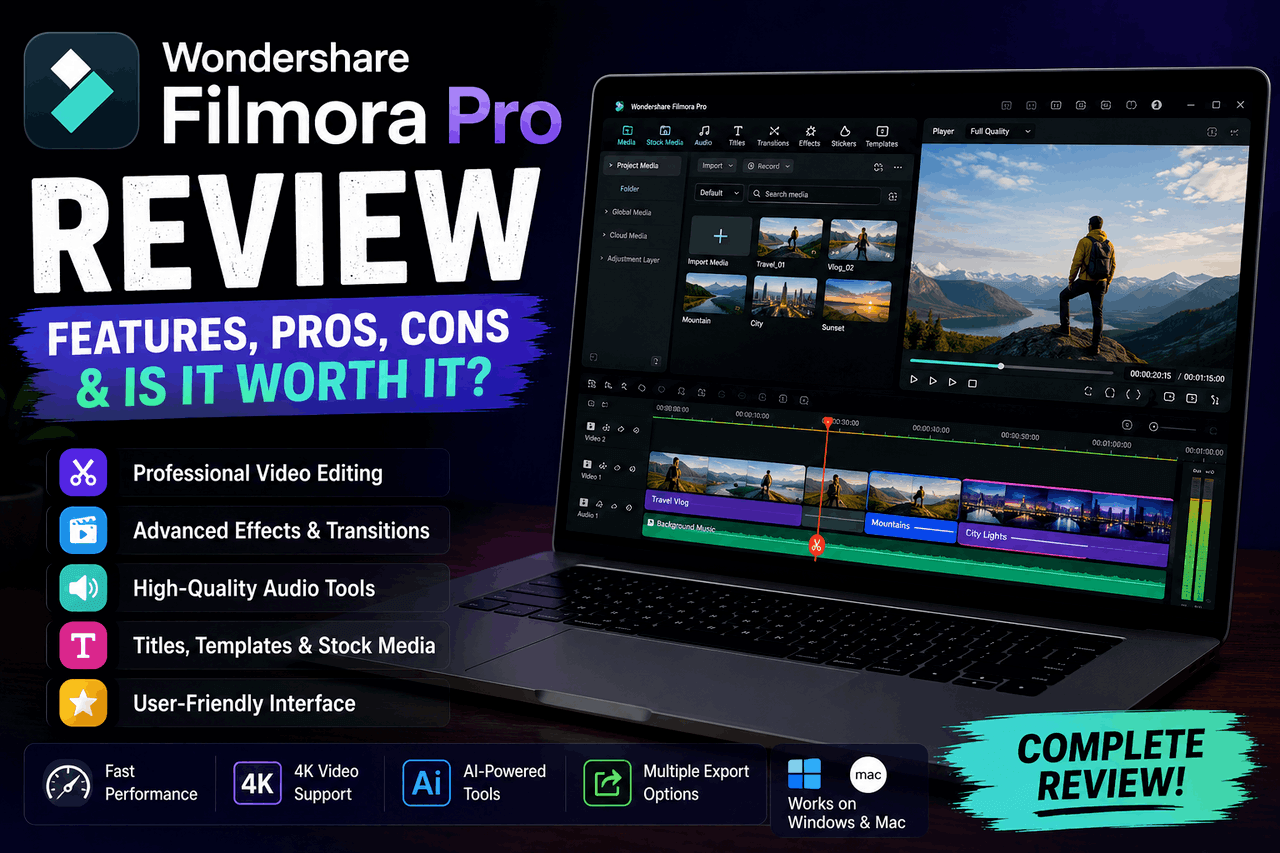
I remember sitting at my desk three years ago, trying to edit a video for an affiliate campaign. My computer fan was screaming like a jet engine, and my timeline was completely frozen. I was using a complex professional tool that felt like trying to pilot a space shuttle. That frustrating evening drove me to search for something that balanced advanced tools with a friendly interface. In this comprehensive **Filmora Pro Review**, we will look at how Wondershare handles high-level video creation today.
As an affiliate marketer with a decade of experience, I know that time is literally money. If a video editor takes four hours to render a basic clip, your profits will take a massive hit. Creators need a tool that offers deep features without requiring a degree in computer engineering. Let us dive into the real facts about this software to see if it fits your production workflow.
The Confusing Evolution of Filmora Pro
Before we look at the specific tools, we must clear up a major piece of confusion in the marketplace. If you search for a Filmora Pro review online, you will find some very angry legacy users. Wondershare originally launched a standalone software called “FilmoraPro” aimed at Hollywood-style filmmakers. They discontinued that specific version a few years ago to change their business strategy.
Instead of keeping two separate apps, Wondershare merged those high-level features directly into its main app. Today, when people look for a Filmora Max Pro review, they are looking at the advanced professional tiers of the latest version, Filmora 15. Wondershare packed all the advanced tools, like motion tracking and color wheels, into one master program.
Is Filmora Free for Beginners?
The most common question I get from new creators is, Is Filmora free to use forever? The short answer is yes, but it comes with a massive catch. You can download the full program and use every single tool without paying a dime.
However, when you click the export button, a giant, ugly watermark will appear across the middle of your video. If you want to use the videos for YouTube or a business client, that watermark looks highly unprofessional. You can learn how to use Filmora Pro for free to practice your cutting skills, but you must pay to unlock clean exports.
Key Advanced Features That Power Professional Editing
Let us look at the heavy-duty features that make this software good for professional editing. The program has grown far past a basic trim-and-cut tool.
Upgraded Color Grading and HDR Wheels
The new HDR Color Wheel gives you six separate layers of brightness control, including shadows, highlights, and global tones. You can sample any color on your screen using the HSL Eyedropper tool to match shots instantly. This feature helps creators match the look of a cheap phone camera with expensive studio footage.
Advanced Motion Tracking and Pen Tools
The newly added Pen Tool allows you to draw custom shapes and turn them into editable animation paths. You can track a moving car or a person walking across the screen, then attach text or effects to that path. The tracking stays locked onto the subject even if the lighting in the room changes.
AI Integration Tools
Modern video creation requires smart automation, and the latest Filmora AI reviews show huge time savings. The software features an Idea to Video Agent that turns a text prompt into a rough video draft with one click. It also includes an AI Eye Contact tool that makes your subject look directly at the camera lens automatically.
Hardware Needs and Performance Speeds
You cannot run professional editing software on an old, dusty laptop without facing major lag. Let us look at the muscle your computer needs to run this program smoothly.
Real Filmora 9 Req Baseline
If you look back at old files, the basic Filmora 9 req list only called for a simple Intel i3 processor. Today, the latest version needs a much stronger setup to handle the new AI processing tools. You should have at least 16GB of RAM and a dedicated graphics card to avoid annoying crashes.
The Truth About Filmora Render Speed
The overall Filmora render speed is one of the best parts of the system on mid-range hardware. The Smart Render feature builds a real-time preview of your timeline as you make cuts. When it is time for the Filmora best export, the software uses your computer’s graphics card to export a four-minute 4K clip in less than sixty seconds.
Comparing the Competition Head-to-Head
Creators often struggle to pick a single platform because there are so many options in the market today. Let us compare this software with two other massive giants.
Is Filmora Better than Canva Pro?
People frequently ask, ‘Is Filmora better than Canva Pro?’ These two tools are built for completely different jobs. Canva Pro is an amazing graphic design app meant for quick social media graphics and simple slideshow videos. This software is a dedicated, multi-track video editor built for complex cutting, audio mixing, and color grading. If you need to edit a long YouTube video, Canva Pro will feel clunky and limited.
Is Filmora or CapCut Better?
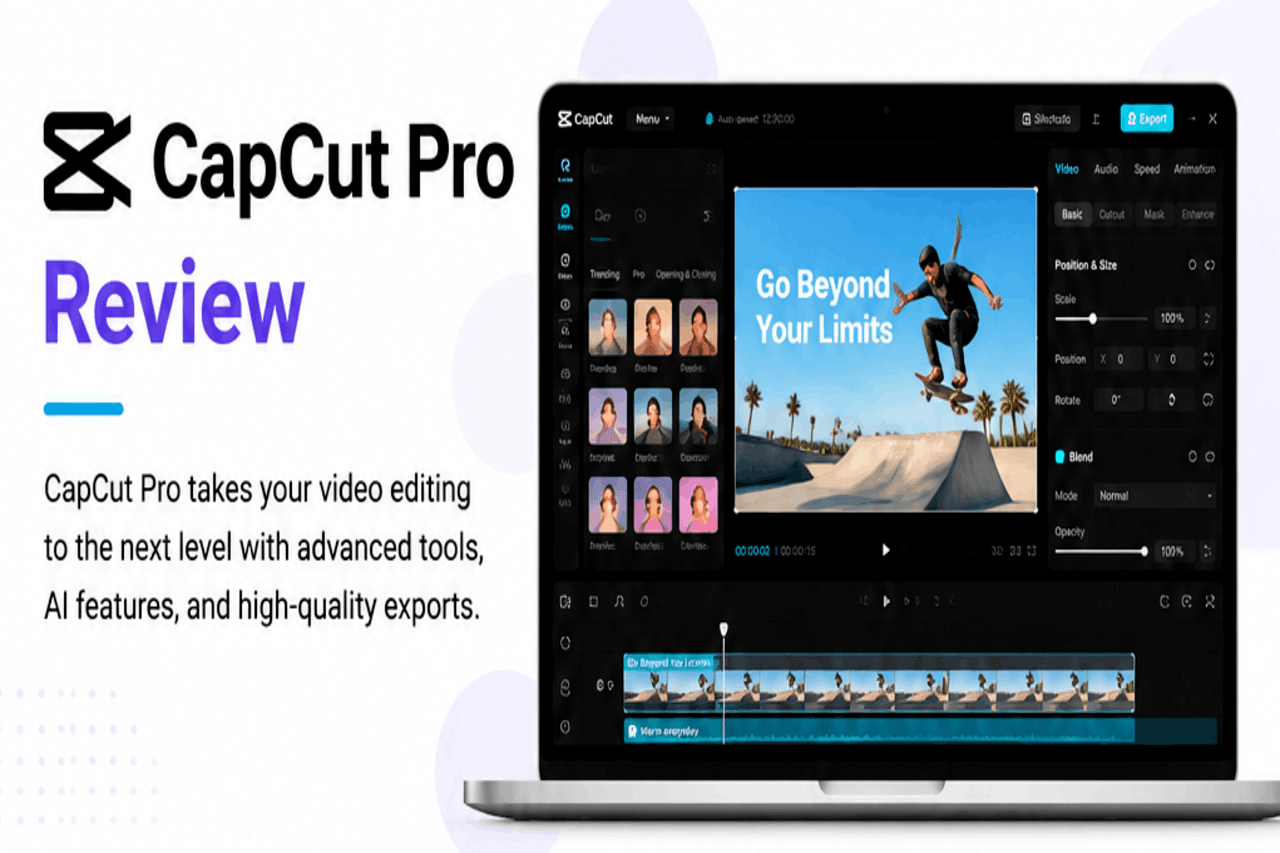
The next big question is, ‘Is Filmora or CapCut better?’ CapCut is an incredible, free tool designed for quick mobile edits and viral TikTok trends. This platform is better if you want a traditional desktop experience with advanced color wheels, dual-monitor support, and deep audio control. CapCut wins on speed for short videos, but this program wins for long-form, professional content.
Transparent Pricing Breakdown
Wondershare uses several pricing models that can confuse buyers. Let us look at the actual costs for a personal account.
Filmora Price Per Month Options
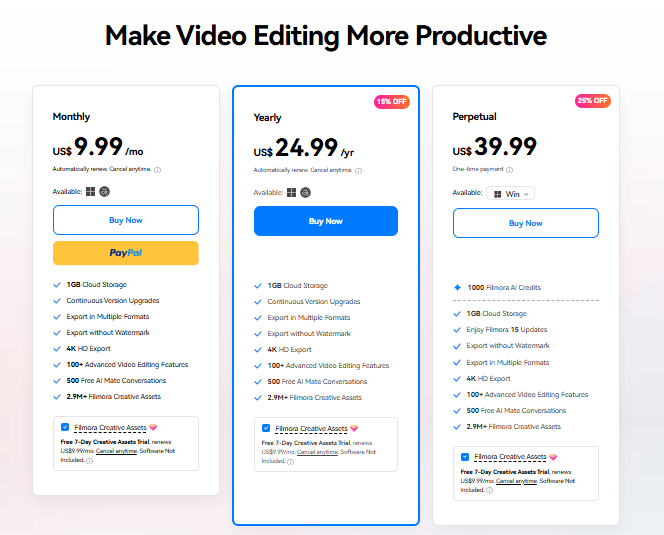
If you want to test the paid waters without a long commitment, the Filmora price per month starts around $9.99. This tier removes the watermark and gives you full access to the basic editing features. However, it does not include all the premium AI credits or advanced stock assets.
The Filmora Price Lifetime Debate
Many users prefer to buy software once and own it forever. The Filmora price lifetime plan costs around $79.99.
However, you must read the Filmora reviews Reddit threads to see how this plan actually works. A lifetime plan only covers the major version you purchased, like Filmora 14. When Wondershare releases a major update like Filmora 15, you have to pay an extra upgrade fee to get the new tools.
The Good, The Bad, and The Honest Truth
Let us summarize the core benefits and drawbacks of this platform based on months of heavy testing.
The Benefits
- The drag-and-drop timeline interface is incredibly easy to learn for beginners.
- The AI tools save hours of manual masking and noise reduction work.
- Rendering speeds are highly optimized for regular consumer laptops.
The Drawbacks
- The software constantly shows annoying upsell pop-ups to buy extra asset packs.
- The “lifetime” license terms have caused major trust issues within the creative community.
- It can run very slow if you do not have a modern computer with a good graphics card.
Summary of My Comprehensive Assessment
This platform occupies a unique sweet spot in the modern video editing market. It bridges the gap between ultra-simple phone apps and complex Hollywood software.
Our Filmora review shows that the platform provides genuine value for intermediate creators, online instructors, and small business owners. The recent Filmora reviews highlight how the AI tools cut asset production time in half. While the company’s past upgrade pricing drama left a bad taste for some users, the software itself remains highly capable.
Final Actionable Takeaway
Do not buy a full subscription until you test your own computer’s hardware compatibility. Download the free version today and import a large 4K video clip into the main timeline. Apply a few AI effects and run a test render to see how your computer handles the processing load. If the playback stays smooth and fits your workflow, consider the annual subscription plan to get clean, professional exports for your business.