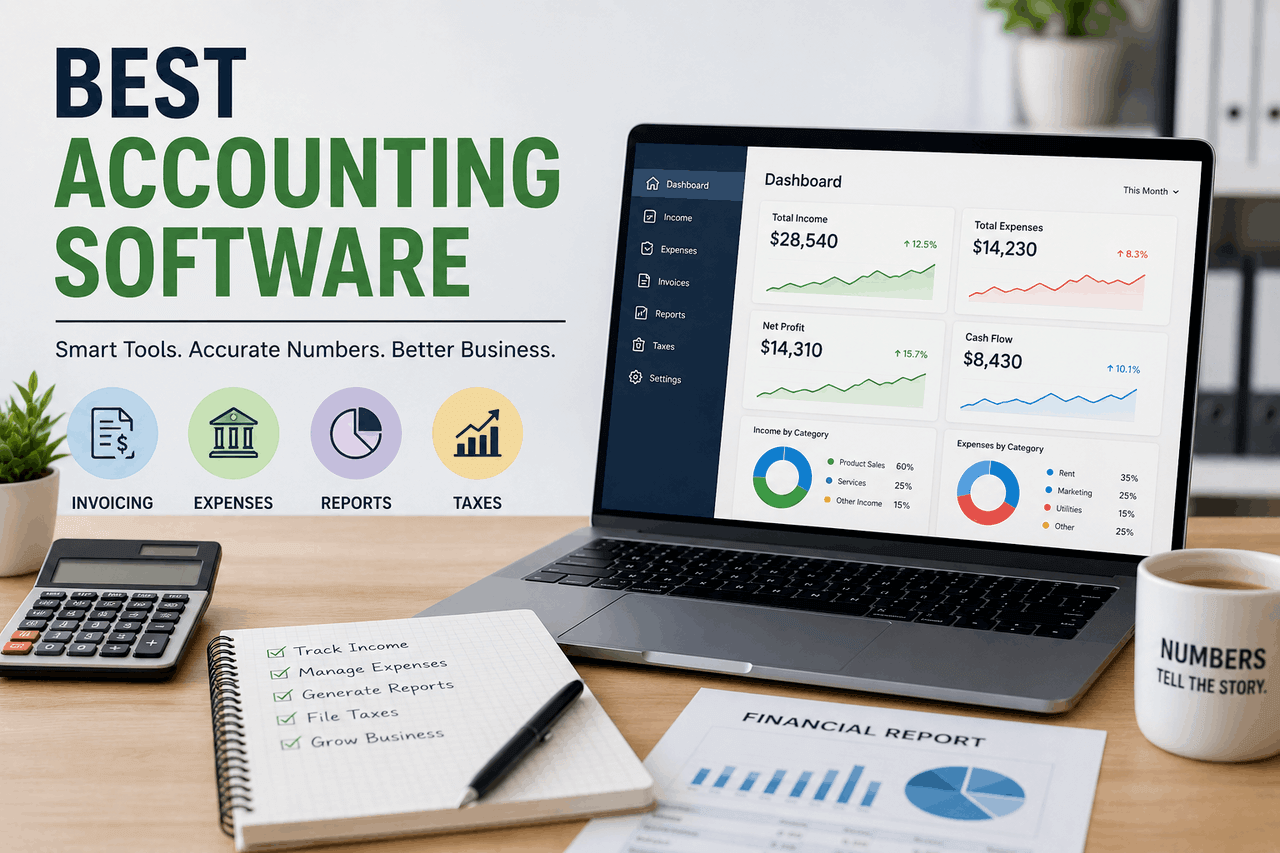
The best accounting software depends on your business size and needs. QuickBooks and Xero suit most small- to mid-sized businesses; FreshBooks works well for freelancers and service providers; Zoho Books fits budget-conscious teams; and NetSuite serves larger enterprises with complex needs. Match features to your workflow before you commit.
Managing your finances by hand eats up time you don’t have. Spreadsheets get messy. Receipts go missing. Tax season turns into a scramble. If you’ve ever felt buried under invoices and bank statements, you already know the problem.
Accounting software fixes most of that. It automates repetitive work, reduces errors, and gives you a clear picture of where your money goes. That means fewer late nights with a calculator and more time spent actually running your business.
This guide walks you through why accounting software matters, the features worth looking for, and how the top tools stack up. You’ll also find practical advice on choosing the right platform, setting it up without headaches, and what’s coming next for the industry. By the end, you’ll know exactly what to look for and which option fits your business.
Why does your business need accounting software?
Accounting software is a tool that automatically tracks, organizes, and reports your business finances. That means less manual data entry and fewer mistakes that cost you money or time.
The need manifests differently depending on your size, but the core value remains the same.
How does accounting software help small businesses?
Small businesses often run lean, with owners juggling sales, marketing, and bookkeeping. Accounting software takes the financial load off your plate. It sends invoices, tracks expenses, and reconciles your bank accounts without you having to touch a spreadsheet.
That frees up hours each week. It also reduces the risk of errors that can trigger tax problems or cash flow surprises.
How does accounting software help large enterprises?
Larger companies deal with higher transaction volumes, multiple departments, and complex reporting requirements. Manual processes can’t keep up at that scale.
Enterprise-grade software handles thousands of transactions, manages multiple users with different permissions, and produces detailed reports for stakeholders. That means better oversight and faster, more confident decisions.
What are the main benefits?
Across business sizes, three benefits stand out:
- Time-saving: Automation handles invoicing, reconciliation, and reporting, so you spend less time on routine tasks.
- Accuracy: Built-in checks reduce human error, keeping your books clean and audit-ready.
- Insights: Real-time dashboards and reports show you cash flow, profit margins, and trends as they happen.
That combination turns your accounting from a chore into a source of useful information.
What features should you look for in accounting software?
From basic invoicing tools to full-scale enterprise suites, accounting software comes in many shapes. Knowing which features matter most helps you avoid paying for things you’ll never use. Here are the ones worth checking.
Invoicing and billing
Good software lets you create, send, and track professional invoices in minutes. Look for recurring billing, automatic payment reminders, and the ability to accept online payments. That means you get paid faster and spend less time chasing clients.
Expense tracking
Strong expense tracking captures every cost, from a coffee meeting to a software subscription. The best tools let you snap photos of receipts and automatically categorize spending. That keeps your records accurate without the manual sorting.
Bank reconciliation
Bank reconciliation matches your records against your bank statements. Software that connects directly to your bank can do this in minutes instead of hours. That means you catch discrepancies early, before they become real problems.
Reporting and analytics
Reports turn raw numbers into decisions. Look for profit and loss statements, balance sheets, and cash flow reports you can generate on demand. Customizable dashboards help you track the metrics that matter most to your business.
Payroll integration
If you have employees, payroll integration saves serious time. The right tool calculates wages, withholds taxes, and files the right forms. That reduces compliance risk and keeps your team paid on time.
Inventory management
For businesses that sell physical products, inventory tracking is essential. Good software updates stock levels in real time and alerts you when items run low. That means fewer stockouts and less money tied up in excess inventory.
Ease of use
Powerful software is useless if no one can figure it out. Look for a clean interface, simple navigation, and helpful onboarding. That matters most if you or your team aren’t accounting experts.
Scalability and integrations
Your software should grow with you. Check that it connects to the tools you already use, such as your payment processor, CRM, or e-commerce platform. That saves you from having to switch systems later.
How do the top accounting software options compare?
There’s no single best option for everyone. Below is an honest look at six leading platforms, including who each one suits and where it falls short.
QuickBooks
QuickBooks is one of the most widely used accounting platforms, especially in the United States. It suits small to mid-sized businesses that want a feature-rich, all-in-one tool.
Pros:
- Comprehensive features, from invoicing to payroll
- A large network of accountants who know the platform
- Strong reporting and third-party integrations
Cons:
- Pricing can climb as you add features and users
- The range of options can overwhelm new users
Choose QuickBooks if you want depth and don’t mind paying for it.
Xero
Xero is a cloud-based platform popular with small businesses and growing companies. It’s known for its clean interface and unlimited users across all plans.
Pros:
- Unlimited users at no extra cost
- Strong bank reconciliation and integrations
- Intuitive, modern design
Cons:
- Phone support is limited
- Some advanced reporting needs add-ons
Choose Xero if you have a growing team and want everyone to have access without per-user fees.
FreshBooks
FreshBooks is built with freelancers and service-based businesses in mind. Its strength is simple, professional invoicing and time tracking.
Pros:
- Very easy to use, even for non-accountants
- Excellent invoicing and time-tracking features
- Solid customer support
Cons:
- Limited inventory management
- Higher-tier plans are needed for more users
Choose FreshBooks if you bill clients for your time and want invoicing to feel effortless.
Zoho Books
Zoho Books offers strong features at a competitive price and integrates seamlessly with the wider Zoho ecosystem. It suits budget-conscious small businesses.
Pros:
- Affordable pricing tiers, including a free plan for very small businesses
- Integrates with other Zoho apps
- Good automation features
Cons:
- Best value comes when you use other Zoho products
- Fewer third-party accountants are familiar with it
Choose Zoho Books if you want value for money and already use Zoho tools.
Sage
Sage offers a range of products that scale from small businesses to larger operations. It’s a long-established name with deep accounting roots.
Pros:
- Scalable products for different business sizes
- Strong core accounting and compliance features
- Established reputation
Cons:
- Interface feels dated compared to newer rivals
- Some products have a steeper learning curve
Choose Sage if you want a proven platform with room to grow.
NetSuite
NetSuite is an enterprise-grade solution built for larger businesses with complex needs. It goes beyond accounting into full enterprise resource planning.
Pros:
- Handles complex, high-volume operations
- Combines accounting with broader business management
- Highly customizable
Cons:
- Expensive, with significant setup costs
- Overkill for most small businesses
Choose NetSuite if you’re a large or fast-scaling company that needs more than standalone accounting.
How do you choose the right accounting software?
With so many options, the choice can feel daunting. Break it down into four steps, and it gets much simpler.
- Assess your business needs. List the tasks you need the software to handle, such as invoicing, payroll, or inventory. Be honest about what you’ll actually use.
- Consider your budget. Factor in monthly fees, add-on costs, and per-user charges. The cheapest option isn’t always the best value, but you shouldn’t overpay for features you’ll never touch.
- Evaluate features and integrations. Check that the software does what you need and connects to your existing tools. A free trial is the best way to test the fit.
- Read reviews and seek recommendations. Look at what businesses like yours say. Ask your accountant, too, since they often have strong preferences based on experience.
How do you implement new accounting software smoothly?
Switching systems can feel risky, but a careful rollout keeps disruption to a minimum. Three practices make the move easier.
Migrate your data carefully. Clean up your existing records before you transfer them. Move data in stages and double-check the numbers once they’re in the new system.
Train your team. Give everyone time to learn the new tool. Most providers offer tutorials, webinars, or onboarding support, so use them.
Back up your data regularly. Even with cloud software, keep regular backups. That protects you against accidental loss and gives you peace of mind.
What does the future of accounting software look like?
Accounting software keeps evolving, and a few trends are shaping what’s next.
AI and automation are taking over more routine tasks, from categorising expenses to flagging unusual transactions. That means less manual work and earlier warnings when something looks off.
Cloud-based solutions continue to dominate because they let you access your books from anywhere and collaborate in real time. Most new tools are cloud-first by default.
Enhanced security features are becoming standard as financial data faces more threats. Expect stronger encryption, multi-factor authentication, and more frequent backups across the board.
Take control of your finances
The right accounting software does more than balance your books. It saves you time, reduces errors, and gives you the insights you need to make smart decisions. That’s a real advantage, whether you’re a solo freelancer or running a large enterprise.
Start by listing your needs and your budget. Then take a few platforms for a test drive using their free trials. Most offer one, so there’s little risk in trying before you buy.
Your finances deserve better than a tangle of spreadsheets. Pick a tool that fits, set it up with care, and let it do the heavy lifting.
Frequently asked questions
How much does accounting software cost?
Prices vary widely. Many plans start around $10 to $30 per month for small businesses, with mid-tier plans running $40 to $90 per month. Enterprise solutions like NetSuite cost significantly more and often require custom quotes. Free plans exist for very small businesses, such as Zoho Books’ free tier.
Can I switch accounting software without losing my data?
Yes. Most platforms let you export and import data, and many offer migration tools or support to help. Clean your records first, move data in stages, and verify the numbers once the transfer is complete to avoid problems.
Do I still need an accountant if I use accounting software?
Often, yes. Accounting software handles day-to-day bookkeeping well, but an accountant adds value for tax planning, complex filings, and strategic advice. Many accountants also work directly on popular platforms such as QuickBooks and Xero.
Which accounting software is best for freelancers?
FreshBooks is a popular choice for freelancers thanks to its simple invoicing and time-tracking features. Zoho Books and QuickBooks also offer freelancer-friendly plans. Choose based on whether you bill by time, project, or product.
Is cloud-based accounting software safe?
Reputable cloud platforms use strong encryption, multi-factor authentication, and regular backups to protect your data. That said, your security also depends on good habits, such as using strong passwords and limiting user access to those who need it.