If you have spent any time looking for a way to speed up your blogging or social media, you have seen that little red bird logo. Rytr has been around for a while now. In 2026, with huge names like ChatGPT and Claude dominating the news, is Rytr still worth your monthly subscription? I sat down with it for a week to find out. Here is the truth from someone who uses these tools to pay the mortgage.
What is Rytr, Anyway?
Rytr is an AI writing assistant built for speed and simplicity. It uses language models to help you churn out everything from emails to full blog outlines. Unlike some tools that try to do everything (and fail), Rytr sticks to a specific lane. It wants to be the “assistant in your pocket.” It is small, fast, and very affordable.
If you are tired of staring at a blank screen and feeling your soul leave your body, this is the kind of tool that claims to help. But does the quality hold up? Let’s look under the hood.
The Magical Interface (Why It Wins for Beginners)
One thing I love about Rytr is that it doesn’t try to look like a spaceship. Some AI tools have so many buttons and sliders that you feel like you need a pilot’s license. Rytr is the opposite. You open it, pick a “use case,” and start typing.
How the Workflow Feels
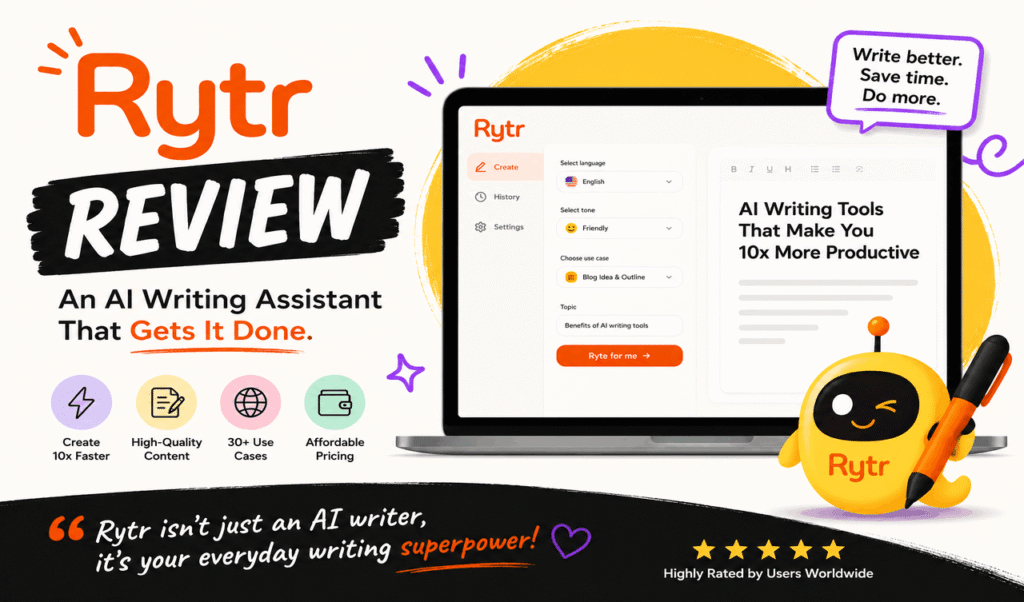
1. Pick your language: It supports over 30 languages.
2. Select a tone: Do you want to be “Appreciative,” “Funny,” or “Urgent”? Pro tip: “Humorous” is actually quite decent.
3. Choose a Use Case: This is where the magic happens. There are over 40 templates, including blog ideas, product descriptions, and even song lyrics.
4. Input your keywords: Give it a little context.
5. Hit “Ryte for me” button: Boom. Text appears in seconds.
It is so simple that I could teach my nephew to use it in five minutes. For a busy marketer, that lack of friction is worth its weight in gold.
The Features That Actually Matter
I have used every AI writer on the market. Most of them have a lot of “fluff” features that you will never touch. Rytr keeps it lean. Here are the parts I actually use.
1. The Chrome Extension
This is Rytr’s secret weapon. You don’t have to stay inside their app. You can use it in Gmail, Slack, or WordPress. If you are replying to a grumpy client email, you can highlight your messy draft and tell Rytr to “Improve” it. It makes you look way more professional than you probably feel at 8:00 AM.
2. Custom Use Cases
If the built-in templates don’t fit, you can build your own. If you want a specific “Affiliate Product Review” format, you can train Rytr to follow that exact structure. This is a big time-saver for niche sites.
3. AI Image Generator
It is a nice touch. It isn’t going to win any art awards, but if you need a quick, unique image for a blog post, it does the job. It saves you from spending twenty minutes on a stock photo site.
4. Plagiarism Checker
Copying others is the fastest way to kill your SEO. Rytr has a built-in checker. It gives you peace of mind before you hit the Publish button.
The Elephant in the Room: Content Quality
Let’s be real. If the writing is bad, nothing else matters.
In my testing, Rytr is a short-form king. If you need a catchy headline, a meta description, or a Facebook ad, it is brilliant. It is punchy and direct. However, if you want it to write a 3,000-word deep dive into the history of Roman architecture, it will struggle. It can get a bit repetitive if you push it too hard. It likes to use the same sentence structures over and over.
The Fix: Don’t ask it to write the whole thing at once. Use the “Blog Outline” tool first. Then, have it write each section one by one. This keeps the AI focused and the quality high.
Rytr vs. The Big Boys (Jasper, Writesonic, ChatGPT)
How does it stack up against the competition?
| Feature | Rytr | Jasper | Writesonic |
| Price | Very Cheap | Expensive | Mid-range |
| Best For | Short-form/Budget | Teams/Long-form | SEO-heavy blogs |
| Ease of Use | 5/5 | 3/5 | 4/5 |
| Long-form | Okay | Excellent | Great |
If you are a solo freelancer or a small business owner, Rytr wins on price and simplicity. If you are a big agency with a huge budget, you might want the extra brains that Jasper offers.
What I Don’t Like
I promised to be honest, so here are the parts that annoy me:
- The Character Limit: The free plan is great, but 10,000 characters disappear fast. That is only about 1,500 to 2,000 words.
- Repetition: As mentioned, it can get into a “loop” where it says the same thing three different ways. You have to be a good editor.
- Limited Research: Unlike some newer AI tools, Rytr doesn’t “surf” the live web as deeply as something like Chatsonic. You still need to do your own fact-checking.
Is It Good for SEO?
Google doesn’t hate AI. They hate unhelpful content. If you use Rytr to create a generic, boring post, you won’t rank. But if you use its “SEO Analyzer” and “Keyword” tools to build a solid foundation, you are in a good spot.
I use Rytr to generate my H2 and H3 headings. It ensures I am covering all the sub-topics that people are searching for. That alone saves me an hour of manual research.
Pricing: Can You Afford It? (Yes)
This is where Rytr usually closes the deal.
- Free Plan:** $0. Good for testing the waters.
- Unlimited Plan:** Around $7.50 to $9.00 a month. This is the “sweet spot” for most people.
- Premium Plan:** Around $29 a month. This adds more plagiarism checks and a dedicated account manager.
Compared to paying $100+ for other tools, this is a steal. It is roughly the cost of two fancy sandwiches.
Tips for Success
If you want to make money with this tool, don’t just “let it write.” Follow this process:
1. Step 1: Use a keyword tool to find a low-competition topic.
2. Step 2: Use Rytr’s “Blog Idea & Outline” tool.
3. Step 3: For each section, use the “Paragraph” tool.
4. Step 4: Read it out loud. Delete anything that sounds like a robot wrote it.
5. Step 5: Add a personal anecdote. (“I tried this product, and it broke in two days.”)
6. Step 6: Use the “Text Improver” on your own rough notes.
This “hybrid” approach creates content that ranks and actually converts readers into buyers.
The Verdict: To Ryte or Not to Ryte?
After ten years of doing this, I have learned that the “best” tool is the one you actually use. Rytr is not the most powerful AI on the planet. It isn’t going to replace a Pulitzer Prize winner. But it is fast. It is reliable. And it is affordable.
You should get Rytr if:
- You have a limited budget.
- You need to post on social media every day.
- You are a freelancer writing dozens of product descriptions.
- You hate complex software.
You should skip Rytr if:
- You only write 5,000-word academic white papers.
- You need deep, real-time web research for every sentence.
- You have a massive budget and want the “Ferrari” of AI writers.
Final Actionable Takeaway
Rytr is like a reliable old truck. It isn’t flashy. It doesn’t have a touchscreen dashboard or heated seats. But it starts every morning and gets the job done. For most affiliate marketers and small business owners, that is exactly what you need. It clears the “writer’s block” hurdle so you can get back to actually running your business.
Try the free plan first. Write a couple of emails or a blog intro. If it saves you even thirty minutes of frustration, it has already paid for itself. Stop staring at the blank page. Just start “Ryting.”