The best WordPress theme for your e-commerce website depends on your technical skills and design needs. Start with Astra or GeneratePress if you value fast load times and clean code. Choose OceanWP or Porto if you want extensive built-in features. Use Storefront if you want guaranteed WooCommerce compatibility.
Building a digital storefront requires a solid foundation. You need a platform that manages inventory, processes payments, and clearly presents your products to potential buyers. WordPress remains a popular choice for this exact task. It offers deep flexibility and relies on a massive ecosystem of plugins to handle the heavy lifting of online sales.
But WordPress by itself is just the engine of your store. The theme you select acts as the chassis and the paint job. A good e-commerce theme does more than simply make your site look attractive. It dictates how fast your pages load, how easily customers can navigate your product catalogue, and how seamlessly your site integrates with sales tools like WooCommerce.
Choosing the wrong theme can result in slow load times and frustrated customers, potentially costing you sales. Choosing the right theme gives you a reliable framework that grows alongside your business. Here is a detailed look at the top options available, what they do well, and where they fall short.
What features make a good e-commerce WordPress theme?
Before looking at specific themes, identify the features that separate a functional e-commerce theme from a poor one. You want a tool that makes shopping easy for your customers and management easy for you.
Responsiveness and mobile-friendliness
More than half of all internet traffic comes from mobile devices. Your theme needs to look and function well on a small screen. A responsive theme automatically adjusts text size, image placement, and button spacing so mobile users can buy your products without zooming or scrolling horizontally.
Speed and performance
Every second a customer waits for a page to load increases the chance they will abandon their cart. Fast themes are built with clean, lightweight code. They do not force your website to load unnecessary scripts before displaying your products.
Customization options
You need the ability to align your website with your brand identity. Good themes offer enough settings or integrate directly with visual page builders. This lets you change colours, fonts, and layouts without writing custom CSS.
WooCommerce compatibility
WooCommerce is the standard tool for adding a store to a WordPress site. Your theme must integrate well with it. Strong compatibility means the theme includes specific templates for product pages, shopping carts, and checkout screens.
SEO-friendliness
Search engines prefer websites with clean code and fast load times. An SEO-friendly theme uses proper HTML tags and schema markup, helping search engines understand what you sell and rank your pages accordingly.
Customer support and regular updates
Software changes constantly. When WordPress or WooCommerce releases a major update, your theme needs to be updated to maintain compatibility. You want a theme built by developers who provide regular security patches and reliable support when things break.
Which are the best WordPress themes for e-commerce?
The right choice depends heavily on your budget, your technical expertise, and the type of products you sell. Here is a breakdown of the top contenders.
Theme 1: Astra
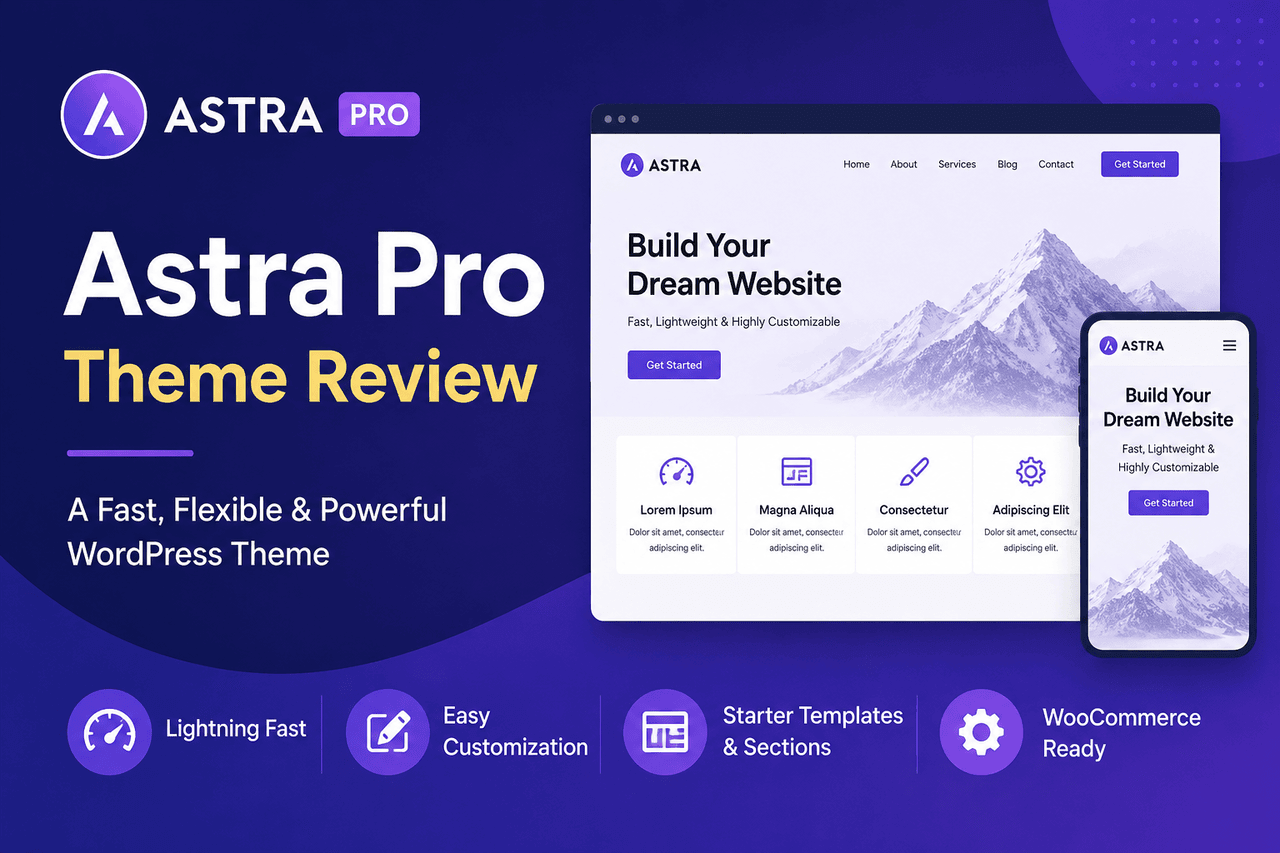
Overview: Astra is one of the most popular themes in the WordPress ecosystem. It focuses heavily on speed and uses minimalistic code to keep your site running fast. It includes a vast library of starter templates you can import with a few clicks.
Who is this for? Astra is a great choice for beginners who want a quick setup and for agencies building multiple sites. Choose Astra if speed and flexibility matter more to you than highly complex built-in features.
Rewards: The theme is lightweight and loads quickly. It works well with all major page builders and offers an extensive library of pre-built store layouts.
Risks: While the base theme is free, you will need to pay for the Pro version to access advanced e-commerce features and detailed customisation options.
Theme 2: OceanWP
Overview: OceanWP is designed to give you as many features as possible right out of the box. It includes specific e-commerce demos and a suite of custom extensions that add functionality such as sticky headers or pop-up carts.
Who is this for? This theme fits mid-level users who want extensive design options without installing a dozen separate plugins.
Rewards: You get a feature-rich environment with deep WooCommerce integration. The available extensions provide tools that usually require paid third-party software.
Risks: The sheer number of settings and options can easily overwhelm a new user. Finding the specific toggle for a layout change often requires digging through long menus.
Theme 3: GeneratePress
Overview: GeneratePress is built for developers and performance-conscious users. It strips away all unnecessary code to provide a blank, lightning-fast canvas.
Who is this for?GeneratePress is an excellent choice for developers who want to build a custom design on top of a highly secure, fast foundation.
Rewards: The theme is lightweight and performance-focused. It offers strong coding standards and reliable security.
Risks: It offers much less visual customisation out of the box compared to Astra or OceanWP. You will likely need to use a page builder or write custom code to achieve a unique look.
Theme 4: Porto
Overview: Porto is a premium theme designed for professional e-commerce operations. It comes with dozens of pre-built store demos tailored to specific niches, such as electronics, clothing, or furniture.
Who is this for? Porto is right for established stores that need a professional, feature-packed design quickly and have the budget to purchase a premium theme.
Rewards: You gain access to niche-specific features and professional-looking layouts from day one.
Risks: Because it includes so many features, Porto is a heavier theme than its minimalist competitors. It also requires an upfront purchase.
Theme 5: Shopkeeper
Overview: Shopkeeper provides a bold, modern design tailored specifically for retail. It focuses on large product images and elegant typography.
Who is this for? This theme is ideal for fashion, apparel, and lifestyle e-commerce stores where visual presentation is the most critical element.
Rewards: The setup process is straightforward, and the resulting storefront looks highly modern and stylish.
Risks: Shopkeeper is strictly built for e-commerce. If you ever decide to pivot your site away from online sales, the theme becomes much less flexible.
Theme 6: Storefront
Overview: Storefront is the official WooCommerce theme, built and maintained by the same developers who manage the WooCommerce plugin.
Who is this for?: Choose Storefront if you are just starting out with WooCommerce and want a guaranteed, risk-free foundation, or if you are a developer looking for a reliable base to customise.
Rewards: Strong integration with WooCommerce. It is completely free and highly reliable.
Risks: The default design is very basic and somewhat plain. You will need to invest time in customisation if you want your store to stand out from thousands of others.
Theme 7: Kallyas
Overview: Kallyas is a massive multi-purpose theme that includes its own visual page builder. It is designed to handle almost any type of website, with a strong emphasis on e-commerce features.
Who is this for? Kallyas is well-suited for complex businesses that need a comprehensive digital presence—such as a portfolio, booking system, and blog—in addition to an online store.
Rewards: You get a single package that includes a proprietary visual builder and highly flexible e-commerce capabilities.
Risks: Multi-purpose themes try to do everything at once. This makes Kallyas relatively resource-intensive, which can slow down your site if you do not have good web hosting.
Theme 8: Neve
Overview: Neve is a mobile-first theme built for modern WordPress environments. It is compatible with Accelerated Mobile Pages (AMP), ensuring lightning-fast load times on smartphones.
Who is this for? Choose Neve if mobile traffic accounts for the vast majority of your customer base, and you want a fast-loading, flexible storefront.
Rewards: The mobile-first approach results in strong performance. It is highly flexible and easy to set up.
Risks: Similar to Astra, the most powerful e-commerce customisation tools are locked behind the premium Pro version.
How do you choose the right e-commerce WordPress theme for your store?
Selecting a theme requires matching the software to your specific business reality. You need to look at what you sell, who you sell to, and how much time you have.
First, define your niche and brand identity. A clothing boutique needs large, stylish image galleries, making Shopkeeper a logical choice. A store selling hardware tools might prioritise clear specification tables and fast search functions, making GeneratePress or Astra a better choice.
Next, consider your budget and technical expertise. If you have no coding experience and no budget, sticking with a free option like Storefront makes sense. If you have a small budget but want an easy visual setup, paying for Astra Pro is a sound investment. Be aware that premium themes usually require annual renewals for support and updates.
Finally, test the theme demos extensively. Do not just look at the homepage. Click through to a single product page, add an item to the cart, and proceed to the checkout screen. Read user reviews to see how the developer handles support tickets when things go wrong.
What are the best practices for installation and setup?
Once you choose a theme, setting it up correctly prevents headaches down the road. The installation process is simple: download the theme file, navigate to your WordPress dashboard, go to Appearance> Themes, and upload the file.
After installation, do not start adding products immediately. Begin with basic customisation. Set your global colours, choose your typography, and upload your logo. Doing this first ensures that every new page you create automatically matches your brand.
You will also need to install essential plugins to support your theme. A great theme cannot protect your customer data or cache your pages on its own. Add a dedicated security plugin to block malicious login attempts. Install a caching plugin to further improve your site speed. Finally, use an SEO plugin to help manage your product meta descriptions and sitemaps.
Taking the next step with your online store
Choosing a WordPress theme for your e-commerce site is a major decision, but it should not become a roadblock. The foundation you choose dictates your store’s speed, mobile performance, and ease of use.
Review your technical skills, weigh your budget, and select a theme that aligns with your goals. The perfect theme does not guarantee sales on its own, but it removes the friction between your customers and your products. Pick the tool that fits your current needs, install it, and start focusing on what actually matters: selling your products.
Frequently asked questions about e-commerce themes.
Are free WordPress themes safe for e-commerce?
Free themes are safe to use if you download them from the official WordPress directory. These themes undergo a review process for security and coding standards. You will want to avoid downloading premium themes for free from unauthorised third-party sites, as these often contain malicious code.
Do I need a page builder if I have a premium theme?
It depends on the theme. Some themes, like Kallyas, include their own page builders. Others, like Astra and OceanWP, are designed to work smoothly alongside external builders like Elementor or Beaver Builder. If you are comfortable using the default WordPress block editor, you do not strictly need an additional page builder.
Can I change my e-commerce theme later?
Yes, you can change your WordPress theme at any time. However, be aware that changing themes will alter your site’s design and layout. You may lose custom widget placements or theme-specific settings. Your products, orders, and customer data stored in WooCommerce will remain perfectly safe during a theme switch.
What is the difference between WordPress and WooCommerce?
WordPress is the core content management system that runs your entire website. WooCommerce is a WordPress plugin that adds e-commerce functionality, including shopping carts, product pages, and payment processing.
Does my theme dictate which payment gateways I can use?
No. Payment gateways like Stripe, PayPal, or Authorize.net are handled by WooCommerce and specific payment plugins, not by your theme. Your theme only dictates how the checkout page looks, not how the financial transaction is processed.