WP Rocket is a premium, beginner-friendly caching plugin that works on any web host. LiteSpeed Cache is a free, highly configurable plugin that delivers superior performance but requires a LiteSpeed web server to function fully. Choose WP Rocket if ease of use and broad compatibility matter most, and choose LiteSpeed Cache if maximum server-level speed on a compatible host matters most.
Website speed matters because it shapes visitors’ experience with your brand. A slow website frustrates users and drives them away, while a fast website keeps them engaged and reading. Speed also plays a major role in search engine rankings, since search engines prefer sites that load quickly and gain visibility from faster load times.
Caching plugins are one of the most effective ways to speed up a WordPress website. Two of the most popular options available today are WP Rocket and LiteSpeed Cache. Both tools improve load times, but they approach the problem differently and suit different user types.
WP Rocket focuses on simplicity and broad compatibility, giving you a fast site with minimal configuration. LiteSpeed Cache focuses on deep server integration, providing exceptional speed for users hosted on specific server environments.
This guide compares WP Rocket and LiteSpeed Cache side-by-side. You will learn how each plugin works, what features they offer, and which option makes the most sense for your WordPress website.
What is website caching, and why does it matter?
When a user visits your WordPress website, your server normally has to process PHP scripts and query your database to build the page. This process takes time. Caching changes this workflow. A caching system creates a static HTML version of your page and stores it. When the next user visits, the server delivers that static file instantly, bypassing the heavy processing. That means faster load times for your users and less strain on your server infrastructure.
Caching provides several concrete benefits for your website. First, it significantly reduces loading times, which keeps visitors from leaving. Second, it reduces the load on your web hosting server, which helps your site stay online during traffic spikes. Finally, it improves your search engine optimisation (SEO) performance, as search engines use page speed as a ranking factor.
There are a few different types of caching that these plugins handle:
- Page caching: Stores the fully generated HTML of a web page.
- Browser caching instructs the visitor’s browser to store static files, such as images and stylesheets, locally on their computer.
- Object caching: Stores the results of database queries so the server does not have to retrieve the same information twice.
- Database caching: Cleans and maintains the database to ensure queries run quickly.
What are the key features of WP Rocket?
WP Rocket is a premium caching plugin built around the philosophy of simplicity. The developers designed it to work immediately upon activation. It requires very little technical knowledge, making it a favourite among website owners who want a “set it and forget it” solution.
Core caching and preloading
WP Rocket automatically applies page caching for your website as soon as you turn it on. It generates static HTML files for logged-out users and, if needed, provides separate cache files for logged-in users. The plugin also features cache preloading. Instead of waiting for a user to visit a page to build the cache, WP Rocket simulates a visit to generate the cache in advance. It uses your XML sitemap to find your pages and automatically preloads them.
File and media improvements
Large files slow down websites. WP Rocket includes tools to minify your CSS and JavaScript files, stripping unnecessary whitespace and comments to reduce their size. It can also combine multiple files into a single file, reducing the number of requests a browser makes. For media, WP Rocket uses LazyLoad. This delays the loading of images and videos until the user scrolls down to see them. That saves bandwidth and speeds up the initial page rendering.
Database cleanup and content delivery networks
Over time, WordPress databases accumulate post revisions, trashed comments, and temporary options. WP Rocket provides a dedicated database cleanup tool to remove this clutter. You can schedule these cleanups to happen automatically. WP Rocket also integrates easily with Content Delivery Networks (CDNs) to serve your static files from servers located closer to your visitors.
Pros and cons of WP Rocket
WP Rocket is incredibly easy to use. The interface is clean, and the default settings work well for most websites. It offers excellent customer support, which is a major benefit if you run into trouble. However, WP Rocket is a premium-only plugin with no free version. Its file minification features can also occasionally conflict with complex WordPress themes, requiring some troubleshooting to find the right settings.
What are the key features of LiteSpeed Cache?
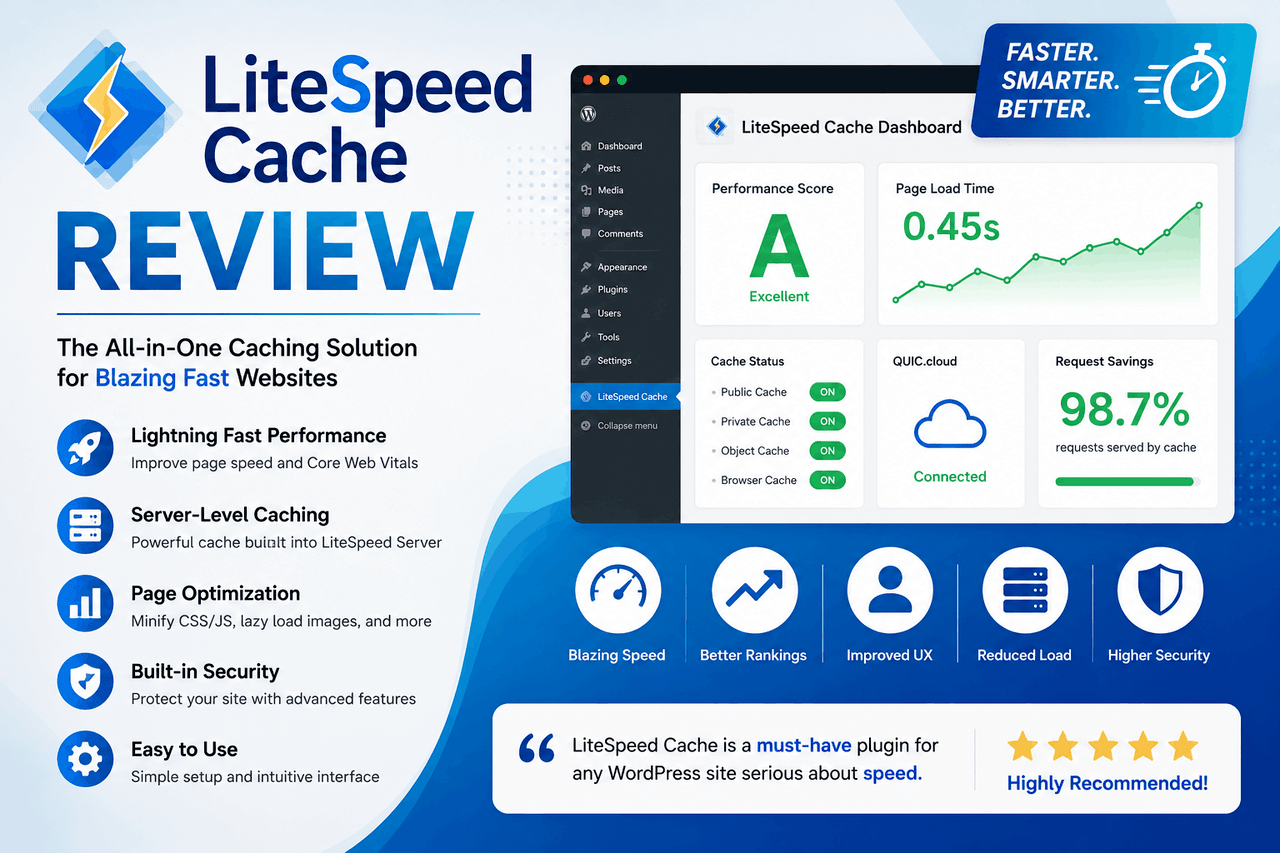
LiteSpeed Cache is a free, comprehensive plugin that communicates directly with LiteSpeed web servers. While it works on other servers (like Apache or Nginx), it only reaches its full potential on a LiteSpeed server. It focuses on delivering the fastest possible server-level cache.
Server-level page and object caching
Unlike WP Rocket, which uses PHP to serve cached pages, LiteSpeed Cache uses the web server itself to deliver the cache. This server-level caching is significantly faster. LiteSpeed Cache also supports advanced object caching, integrating directly with Memcached and Redis to speed up database-heavy sites.
Image processing and file management
LiteSpeed Cache offers built-in image processing through its QUIC.cloud integration. It can shrink your images using multiple methods and automatically generate next-generation formats like WebP and AVIF. It does this processing in the background. The plugin also handles CSS and JavaScript minification, combination, and HTTP/2 Push. It even generates Critical CSS, which loads the styling for the visible part of your page first while delaying the rest.
QUIC.cloud CDN integration
LiteSpeed Cache connects seamlessly with QUIC.cloud, a CDN built specifically for WordPress. According to QUIC.cloud, it is the only CDN available that caches both static and dynamic WordPress content. QUIC.cloud features a global network of 78 Points of Presence (PoPs) and delivers an average latency of less than 10ms in North America and Europe. It also includes security features like Layer-7 DDoS protection and brute-force attack prevention.
Guest Mode
LiteSpeed Cache includes a feature called Guest Mode. When a first-time visitor arrives, Guest Mode serves a highly simplified, ultra-fast version of the page. It delays heavy scripts until after the initial page load, resulting in excellent scores on speed-testing tools.
Pros and cons of LiteSpeed Cache
The biggest advantage of LiteSpeed Cache is its superior performance when paired with a LiteSpeed server. It is highly configurable, offering dozens of advanced settings. It is also completely free. That said, the plugin can be overwhelming for beginners. The settings dashboard is dense, and misconfiguration can break your website’s layout. Furthermore, if your web host does not use LiteSpeed servers, you will miss out on the plugin’s best features.
How do WP Rocket and LiteSpeed Cache compare head-to-head?
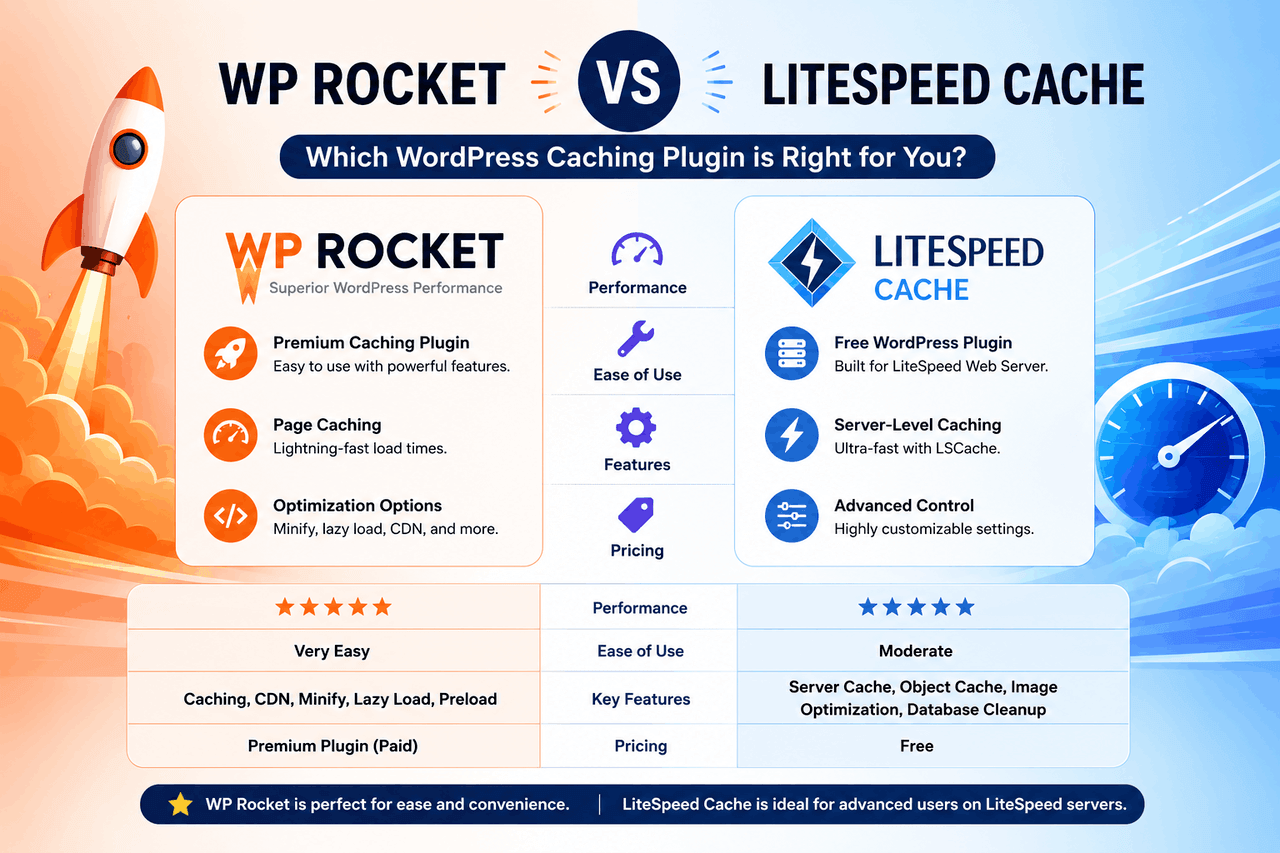
When choosing between WP Rocket and LiteSpeed Cache, you have to weigh your technical expertise against your hosting environment. Both plugins improve Core Web Vitals, but they take different paths to get there.
Performance and speed gains
Both plugins deliver excellent speed gains on standard speed tests like PageSpeed Insights and GTmetrix. However, LiteSpeed Cache typically beats WP Rocket on a LiteSpeed server. Because LiteSpeed Cache bypasses PHP entirely for page delivery, its Time to First Byte (TTFB) is often lower. WP Rocket still provides massive improvements over a non-cached site, but it cannot match the raw server-level speed of a properly configured LiteSpeed setup.
Set up and ease of use
WP Rocket clearly wins for ease of use. You purchase it, install it, and your site is immediately faster. The interface uses plain English and explains what every setting does. LiteSpeed Cache presents a steep learning curve. The interface is packed with technical terms, and finding the perfect configuration requires trial and error.
Pricing and overall value
LiteSpeed Cache is a free plugin in the WordPress repository. If you already pay for LiteSpeed hosting, the value is unbeatable. You can also use the basic QUIC. cloud tier for free. WP Rocket requires an annual subscription, starting at $59 for a single website. While it costs money, you are paying for convenience, a polished interface, and dedicated support.
Compatibility with hosting and themes
WP Rocket works on virtually any web host, whether it uses Apache, Nginx, or LiteSpeed. It is designed to be universally compatible. LiteSpeed Cache requires a LiteSpeed server to enable page caching. If you use Apache or Nginx, LiteSpeed Cache will only handle file and image management, making it far less effective. Both plugins generally play nicely with major themes and page builders, though you may need to exclude certain scripts from minification to prevent visual errors.
Which caching plugin should you choose?
Your choice between WP Rocket and LiteSpeed Cache usually comes down to your web host, your budget, and the level of control you want.
When to choose WP Rocket
WP Rocket is the best choice if you value your time and prefer a simple interface. Choose WP Rocket if:
- You host your website on an Apache or Nginx server.
- You want a tool that configures itself upon activation.
- You want broad compatibility and minimal setup.
- You want broad compatibility and minimal setup.
- You want a tool that configures itself upon activation.
- You manage a small-to-medium-sized business website and do not have a dedicated developer.
- You are willing to pay an annual fee for convenience and premium customer support.
When to choose LiteSpeed Cache
LiteSpeed Cache is the ideal choice if you want maximum technical control and have the right server infrastructure. Choose LiteSpeed Cache if:
- Your website is hosted on a LiteSpeed web server.
- You want fine-grained control over every aspect of your site’s caching behaviour.
- You have the technical patience to test and tweak advanced settings.
- You prefer a free solution that includes integrated image compression and CDN services.
What are some advanced tips for speeding up WordPress?
A caching plugin is just one part of a fast website. To get the best results, you need to monitor your site and make smart infrastructure choices.
First, always measure your baseline speed before installing a caching plugin. Use tools like Google PageSpeed Insights or GTmetrix to record your scores. After configuring WP Rocket or LiteSpeed Cache, test the site again. This proves whether your settings are actually helping.
Next, pay attention to your web hosting. A caching plugin cannot fix a fundamentally slow, overcrowded server. If you consistently see a high Time to First Byte (TTFB) even with caching enabled, you may need to upgrade to a higher hosting plan.
Finally, be careful with plugin bloat. Every plugin you install adds code to your website. Even the best caching setup will struggle to speed up a site carrying fifty unnecessary plugins. Audit your active plugins regularly and delete any tools you no longer use.
Next steps for a faster website
Improving your website’s speed is a continuous process. WP Rocket and LiteSpeed Cache both offer excellent ways to reduce load times, improve user experience, and satisfy search engine requirements. Review your current hosting environment to determine which server software powers your site. If you have LiteSpeed hosting, install LiteSpeed Cache and begin exploring its settings. If you use standard hosting or want to save time, purchase a WP Rocket license and enjoy instant improvements.
Frequently Asked Questions
Does WP Rocket work on LiteSpeed servers?
Yes, WP Rocket works perfectly well on LiteSpeed servers. However, it uses PHP-based caching rather than communicating directly with the LiteSpeed server software. If you are on a LiteSpeed server, the free LiteSpeed Cache plugin will typically deliver better raw performance.
Is LiteSpeed Cache completely free to use?
The LiteSpeed Cache WordPress plugin is completely free to download and use. However, some associated services, such as higher tiers of QUIC.Cloud CDN or advanced image processing quotas require paid credits depending on your usage volume.
Can I use WP Rocket and LiteSpeed Cache together?
No, you should never use two-page caching plugins at the same time. Running WP Rocket and LiteSpeed Cache simultaneously will cause severe conflicts, break your website’s layout, and likely slow your page load times. Choose one plugin and stick with it.
Do I need technical skills to configure LiteSpeed Cache?
LiteSpeed Cache has a basic setup mode, but reaching its full potential requires some technical knowledge. You need to understand concepts like CSS minification, object caching, and server routing to configure its advanced settings without breaking your site’s functionality.