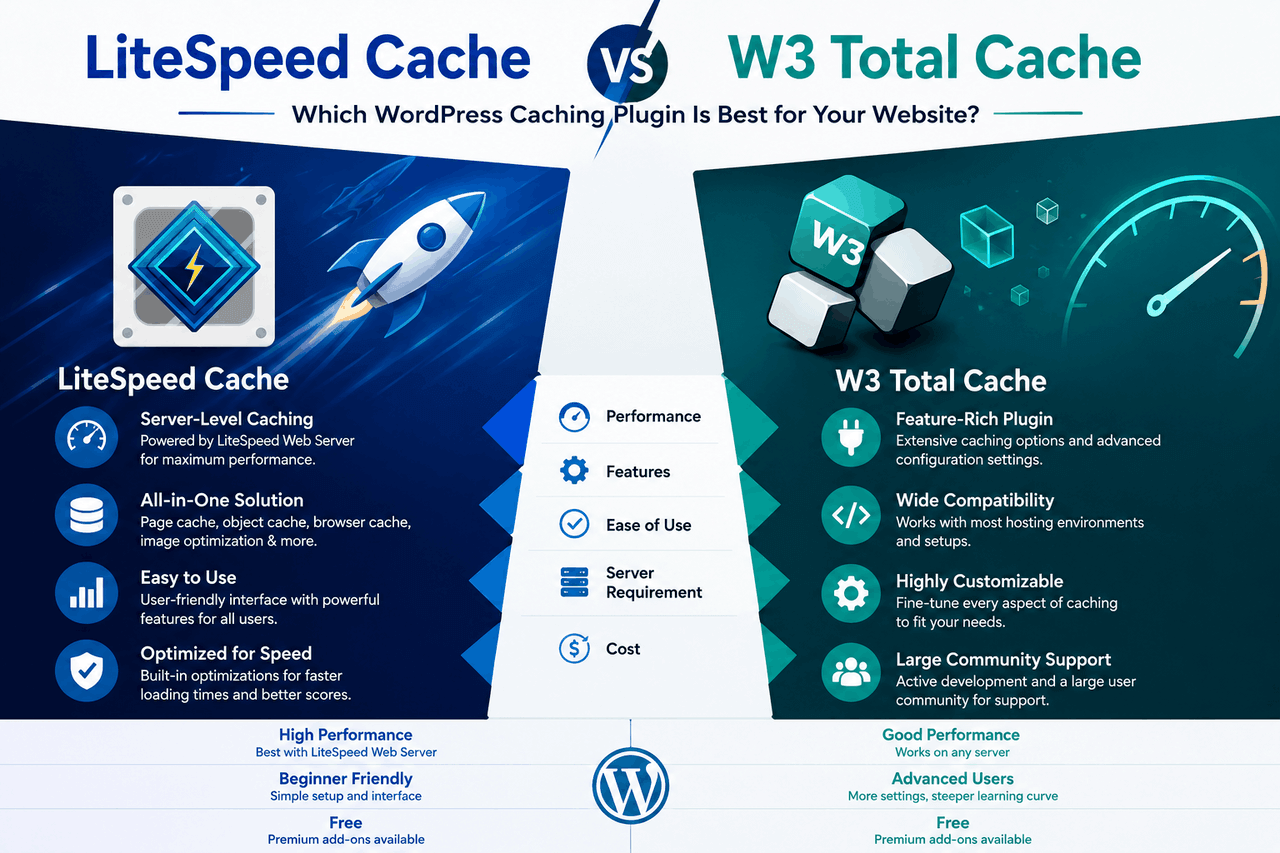
LiteSpeed Cache is the better choice if your website is hosted on a LiteSpeed Web Server, as it leverages deep server-level integration for maximum performance. Choose W3 Total Cache if your site runs on an Apache or Nginx server, as it works well across different environments and offers highly customizable settings.
There are many ways to speed up your website — from simple image compression to complex database cleanups. Web caching remains one of the most effective methods. Caching stores copies of your website files so they can be delivered to visitors quickly without making your server work hard every time someone loads a page. That means your readers get a faster experience, and your server handles traffic spikes much more easily.
LiteSpeed Cache and W3 Total Cache are two of the most popular caching plugins for WordPress. LiteSpeed Cache relies on the LiteSpeed Web Server for server-level caching. W3 Total Cache works on nearly any server environment and offers a wide range of configuration options. Both plugins reduce load times, but in very different ways.
This guide provides a focused comparison of LiteSpeed Cache and W3 Total Cache. You will learn how each plugin works, what features it offers, and which tool makes the most sense for your hosting environment and technical skill level.
What makes LiteSpeed Cache a strong choice?
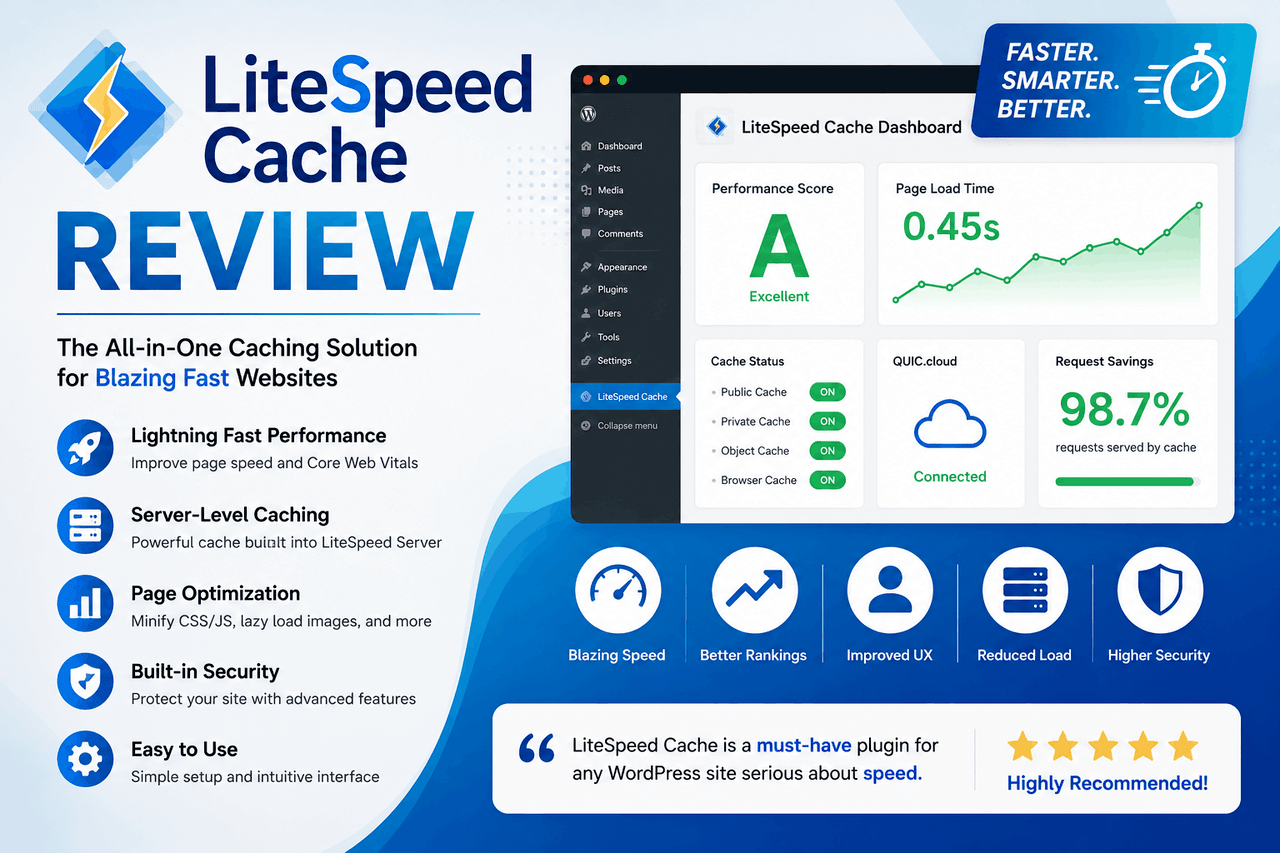
LiteSpeed Cache, often called LSCache, is an all-in-one site acceleration plugin. It is built specifically to communicate directly with the LiteSpeed Web Server. When a plugin talks directly to the server software, the server can bypass PHP and database queries for cached pages. That results in much faster page loads.
What are the main features of LiteSpeed Cache?
LiteSpeed Cache offers a broad suite of tools to improve your website’s performance.
Page Caching
The plugin creates static HTML versions of your dynamic WordPress pages. When a user visits your site, the server delivers this static HTML file instead of processing heavy PHP scripts. This significantly reduces the time to first byte (TTFB).
Object Cache
LiteSpeed Cache supports Memcached and Redis. These systems store the results of database queries. If someone requests the same information again, the system pulls it from the object cache rather than querying the database a second time.
Image Improvement
Large images slow down websites. LiteSpeed Cache includes built-in tools to compress your images. It supports both lossless and lossy compression and can automatically convert your images to the modern WebP format. That means smaller file sizes and faster visual loading for your visitors.
CSS and JS Minification
The plugin can minify and combine your Cascading Style Sheets (CSS) and JavaScript (JS) files. Minification removes unnecessary characters, such as spaces and comments, from code. Combining files reduces the total number of requests a browser makes to your server. It also supports HTTP/2 Push, sending resources to the browser before the browser even asks for them.
Database Cleanup
Over time, WordPress databases get cluttered with post revisions, spam comments, and expired transients. LiteSpeed Cache provides a simple interface for cleaning them up, keeping your database lean and fast.
Browser Caching
This feature instructs the visitor’s web browser to store certain files locally. When the visitor navigates to a new page on your site, their browser does not need to download the logo or main stylesheet again.
CDN Integration
If you use a Content Delivery Network (CDN) like Cloudflare or QUIC.Cloud, LiteSpeed Cache integrates directly with them. This ensures your cached content is distributed across a global network of servers.
E-commerce Support
Running an online store takes a lot of resources. LiteSpeed Cache includes specific WooCommerce features. It knows not to cache the shopping cart or checkout pages, ensuring your customers always see accurate information.
What are the pros and cons of LiteSpeed Cache?
The biggest advantage of LiteSpeed Cache is its tight integration with the LiteSpeed Web Server. Because the caching happens at the server level, the performance gains are often stronger than those of PHP-based caching plugins. It also provides a comprehensive suite of features in one place, so you do not need separate plugins for image compression or database cleaning.
However, there is a clear limitation. LiteSpeed Cache is highly server-dependent. While general features like image compression work on any server, actual page caching requires a LiteSpeed server. If you use Apache or Nginx, you will miss the plugin’s primary benefit. That makes it less effective on other web servers.
What makes W3 Total Cache a strong choice?
W3 Total Cache (W3TC) is one of the oldest and most trusted caching plugins in the WordPress ecosystem. From small personal blogs to massive enterprise sites, developers use W3 Total Cache because it works on nearly any server environment.
What are the main features of W3 Total Cache?
W3 Total Cache gives you granular control over every aspect of website caching.
Page Cache
W3 Total Cache offers multiple methods for page caching, including disk caching, OpCode caching, Memcached, and Redis. You can choose the method that best fits your hosting environment.
Minify Options
You can shrink and combine HTML, CSS, and JavaScript files. W3 Total Cache gives you strict control over which files to minify and where to place the scripts (header or footer) to prevent your site from breaking.
Database Cache
Like its competitor, W3 Total Cache can cache database queries. This is especially helpful for complex sites with many database calls, reducing the load on your MySQL server.
Object Cache
W3 Total Cache fully supports object caching. It frequently holds database objects in memory, significantly speeding up dynamic sites.
Browser Cache
The plugin sets correct headers to tell browsers how long to keep files. This reduces server load and improves the experience for repeat visitors.
CDN Integration
W3 Total Cache supports a massive list of CDNs. You can easily configure it to push your media library, theme files, and CSS/JS to your CDN provider.
Fragment Cache
This premium feature allows you to cache specific parts of a dynamic page. For example, you can cache a sidebar widget while leaving the main content area dynamic.
Reverse Proxy Support
If you use Varnish, W3 Total Cache can purge the Varnish cache automatically whenever you update a post or page.
What are the pros and cons of W3 Total Cache?
W3 Total Cache is server-agnostic. It works well with Apache, Nginx, or LiteSpeed. It is highly configurable, giving developers exact control over how their site handles data. This makes it a strong choice for shared hosting environments where you need to squeeze out every drop of speed.
That said, the plugin can be complex to configure. The settings dashboard spans multiple pages and uses technical jargon. If you choose the wrong option, you might break your site layout or cause conflicts with other plugins. Performance can also vary widely based on how well you match the settings to your server setup.
How do LiteSpeed Cache and W3 Total Cache compare?
Comparing these two tools directly requires looking at performance, features, and ease of use.
How do they perform in benchmarks?
Performance is the main reason you install a caching plugin.
Page Load Speed
On a LiteSpeed server, LiteSpeed Cache typically wins. Server-level caching is faster than PHP-level caching. However, on Apache or Nginx servers, W3 Total Cache usually delivers faster page load times because it is built to optimise for those environments.
Core Web Vitals
Both plugins help improve your Core Web Vitals. They reduce Largest Contentful Paint (LCP) by caching pages and minifying code. They help with First Input Delay (FID) by delaying JavaScript execution. Both will give you a healthy mix of speed and stability.
Server Resource Usage
LiteSpeed Cache is incredibly efficient on a LiteSpeed server, using very little CPU or RAM. W3 Total Cache can sometimes spike CPU usage if database caching or object caching is configured incorrectly on a shared host.
How do their features compare?
When looking at caching mechanisms, both offer page, object, and browser caching. However, W3 Total Cache offers a wider range of caching methods, including disk-enhanced and OpCode caching.
For general site improvement features, LiteSpeed Cache has the edge. It includes built-in image compression and free database cleaning. W3 Total Cache requires third-party tools or premium add-ons to enable advanced features such as fragment caching.
Both plugins offer good support for e-commerce sites. LiteSpeed Cache includes native WooCommerce tags, while W3 Total Cache relies on page cache exceptions to keep checkouts dynamic.
How is the user experience?
LiteSpeed Cache features a modern, clean dashboard layout. While it has many settings, it provides useful presets. You can apply a “Basic” or “Advanced” preset to configure the plugin safely in one click.
W3 Total Cache has a dated, text-heavy interface. The settings complexity is high. You have to navigate through over a dozen sub-menus to configure everything. That said, W3 Total Cache has extensive documentation and a massive community, making it easy to find tutorials online.
When should you choose which plugin? The final verdict is simple: choose LiteSpeed Cache if your site runs on a LiteSpeed Web Server, and choose W3 Total Cache if your site runs on Apache or Nginx.
Your server environment is the biggest deciding factor here. Choose LiteSpeed Cache if you use a LiteSpeed Web Server and want server-level caching. Choose W3 Total Cache if you use Apache or Nginx and need broad compatibility with detailed control. If you use LiteSpeed, LiteSpeed Cache is the better fit. If you use Apache or Nginx, W3 Total Cache is a better fit.
Who should use LiteSpeed Cache?
Choose LiteSpeed Cache if your website is hosted on a LiteSpeed Web Server. The direct server integration provides a massive speed boost that other plugins cannot match. It is also a great fit for users who want an all-in-one solution. Since it handles images, databases, and code, you can reduce the total number of plugins on your site. Finally, e-commerce sites on LiteSpeed benefit greatly from its native WooCommerce support.
Who should use W3 Total Cache?
Choose W3 Total Cache if your site runs on an Apache or Nginx server. It is also the right fit for developers who need a highly customizable solution. If you want strict control over exactly how and where files are cached, W3 Total Cache provides those dials and switches. It is also a safe bet for users in shared hosting environments who need to carefully tweak settings to avoid hitting resource limits.
What are the best practices for caching?
Installing a plugin is only the first step. Proper configuration is the key to actual speed gains.
First, configure your plugin carefully. Do not turn every setting on at once. Turn on page caching, then test your site. Turn on CSS minification, then test your site again. This helps you identify which setting breaks a layout.
Second, test your performance after making changes. Use tools like Google PageSpeed Insights or GTmetrix to see actual data.
Third, perform regular cache clearing. When you redesign a page or update a theme, clear your cache so visitors see the new version.
Finally, combine caching with other speed methods. Caching works best when paired with a good CDN, properly sized images, and a high-quality web host.
Moving forward with your caching strategy
Both LiteSpeed Cache and W3 Total Cache offer incredible value for WordPress users. LiteSpeed Cache dominates on LiteSpeed servers thanks to its all-in-one approach and server-level performance. W3 Total Cache offers unmatched flexibility and power for Apache and Nginx environments.
The best plugin depends entirely on your specific website needs and hosting setup. Check with your hosting provider to see which server software you use, then install the tool that best fits your environment.
Frequently Asked Questions (FAQ)
Is LiteSpeed Cache free to use?
Yes, LiteSpeed Cache is completely free to download and use. However, you must be hosted on a LiteSpeed Web Server to use its page caching features, and LiteSpeed server licenses cost hosting providers money.
Can I use LiteSpeed Cache on an Apache server?
You can install the plugin on an Apache server, but the primary page-caching features will not work. You will only be able to use the general features, such as image compression and database cleanup.
How much does W3 Total Cache Pro cost?
W3 Total Cache offers a free version with plenty of features. The Pro version costs $99 per year and includes advanced features such as fragment caching, extension support, and full-site delivery via CDN.
What is the best alternative to W3 Total Cache?
If W3 Total Cache is too complex for your needs, WP Rocket is a strong premium alternative. It offers a much simpler interface and applies the best caching settings automatically upon activation.
Will caching plugins break my website?
Caching plugins can sometimes break your site’s visual layout if the CSS or JavaScript minification settings are too aggressive. If your site looks broken, clear the cache and disable the minification settings to fix the issue.