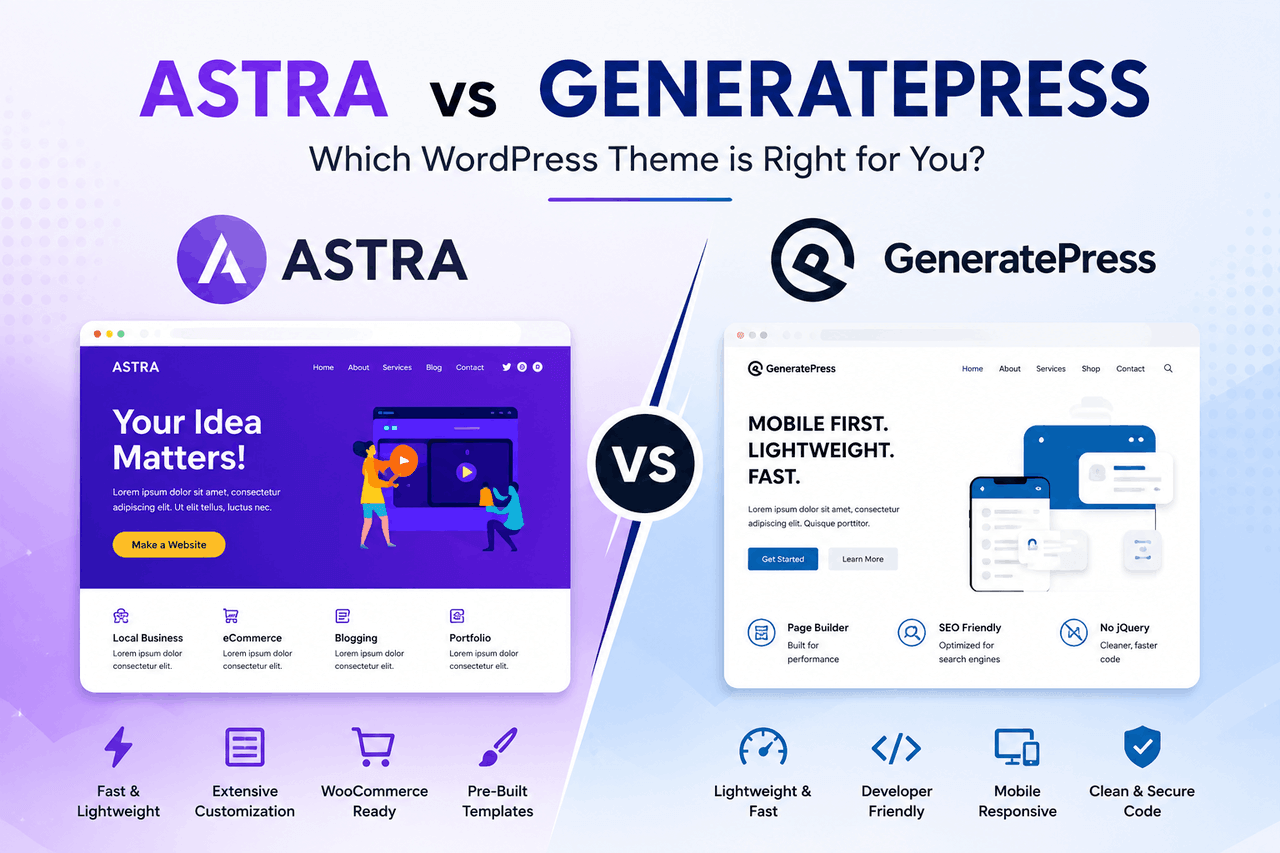
Both Astra and GeneratePress are incredibly fast, lightweight WordPress themes. Choose Astra if you want access to a massive library of pre-built starter templates and seamless integrations with popular page builders like Elementor. Choose GeneratePress if you prioritize exceptionally clean code, block-based site building, and peak website performance.
Setting up a new WordPress website means choosing a structural foundation. In the WordPress ecosystem, your theme is the blueprint of your house. It dictates how your site looks, how fast it loads, and how easily you can customize your layout.
For years, the market was dominated by heavy, bloated themes that packed every possible feature into the code. These themes looked great out of the box, but they slowed load times and frustrated visitors. Today, the standard has shifted toward lightweight themes that provide a fast, minimal foundation you can build upon.
Astra and GeneratePress are the two most prominent leaders in this lightweight category. Both have excellent reputations, stellar performance metrics, and devoted user bases. But they take fundamentally different approaches to how you build a website.
Understanding these differences is crucial before you commit to one for your business. Changing a theme later usually involves rebuilding large parts of your website. This guide will break down exactly how these two themes compare across features, performance, user experience, and pricing. You will learn exactly who each theme is built for, along with the risks and rewards of both options.
What is the Astra WordPress theme?
Astra is a highly popular WordPress theme developed by Brainstorm Force. It currently powers millions of websites and holds the title as one of the most downloaded third-party themes in the WordPress repository.
Astra operates on a simple philosophy: give users a fast foundation and make it incredibly easy to import professional designs. The theme integrates deeply with major page builders like Elementor, Beaver Builder, and the native WordPress block editor (Gutenberg).
The standout feature of Astra is its Starter Templates library. Instead of building a website from scratch, you can browse hundreds of full-website templates spanning dozens of industries. You click a button, import the template, and replace the text and images with your own.
This approach is highly appealing to beginners and agencies that need to produce good-looking websites quickly. You sacrifice a small amount of underlying code purity for a massive gain in setup speed.
What is the GeneratePress WordPress theme?
GeneratePress is a lightweight WordPress theme developed by Tom Usborne. While Astra focuses on broad appeal and visual templates, GeneratePress is laser-focused on code quality, stability, and performance.
GeneratePress is a developer’s dream. It uses a modular approach, activating only the specific features you need, keeping the underlying code footprint astonishingly small. Out of the box, GeneratePress looks very plain. It is not designed to dazzle you with a flashy default layout. It is designed to get out of your way so you can build exactly what you want.
The premium version of GeneratePress introduces a feature called Elements. Elements allow you to design custom headers, footers, and content blocks using the native WordPress block editor and then dynamically inject them anywhere on your site. When paired with the free GenerateBlocks plugin (created by the same developer), GeneratePress becomes a full site-building powerhouse without relying on heavy third-party page builders.
How do Astra and GeneratePress compare in terms of features?
When comparing features, you are looking at two very different site-building philosophies. Astra relies on the WordPress Customizer and third-party page builders. GeneratePress relies on native WordPress blocks and dynamic data hooks.
Astra Features
Astra gives you a massive array of customization options directly within the WordPress Customizer. You can adjust typography, colors, container widths, and button styling with visual sliders.
The premium version, Astra Pro, unlocks advanced header and footer builders, Mega Menu capabilities, and deeper WooCommerce integrations. If you run an online store, Astra offers excellent built-in tools for designing product galleries, off-canvas sidebars, and custom checkout pages.
The true feature advantage of Astra remains the Starter Templates plugin. If you run a local plumbing business, you can find a completed plumbing website template. You import the design and have a functional site in 5 minutes.
GeneratePress Features
GeneratePress Premium takes a more modular approach. You get a dashboard where you can toggle on specific modules, such as Typography, Colors, WooCommerce, or the Site Library.
GeneratePress does have a Site Library, but it is much smaller than Astra’s. The designs are cleaner and less complex. The real feature power lies in GeneratePress Elements.
Elements let you build a specific design—say, a customized author box for your blog posts—and set display rules so it appears only at the bottom of posts in a specific category. This gives you absolute control over your site architecture. You can design custom post templates and archive layouts using native blocks. This method requires a learning curve, but it results in a much faster, more cohesive website.
Which theme offers better performance and speed?
Website speed is not just a vanity metric. Faster websites retain more visitors, rank higher in search engines, and convert at higher rates. Both Astra and GeneratePress are fast, but they achieve it in different ways.
Astra weighs around 50 kilobytes on a default installation and requires about 6 HTTP requests to load. This is remarkably small compared to traditional themes that often exceed 1 megabyte. Astra uses vanilla JavaScript instead of jQuery, which prevents render-blocking issues and keeps the code executing quickly in the browser.
GeneratePress pushes the performance envelope even further. A default installation of GeneratePress weighs less than 10 kilobytes and requires just 3 HTTP requests. It is arguably the leanest, most optimized theme on the WordPress market.
If you install both themes without any additional plugins or page builders, GeneratePress will slightly outperform Astra in synthetic speed tests. However, the performance is rarely tested in a vacuum. Your actual site speed will depend heavily on the plugins you use.
Because Astra users frequently rely on heavy page builders like Elementor to achieve their desired designs, an average Astra site usually loads more slowly than an average GeneratePress site. GeneratePress users tend to use the native Gutenberg editor and GenerateBlocks, which output much cleaner HTML and CSS. If you prioritize achieving a perfect 100 on Google Core Web Vitals, GeneratePress offers the path of least resistance.
What is the user experience like for beginners vs experts?
Your skill level and available time should heavily influence which theme you choose. A theme is only useful if you actually enjoy using it to build your site.
The Astra User Experience
Astra is highly beginner-friendly. When you install Astra, you are guided through an onboarding wizard. You install the Starter Templates plugin, pick a design, and watch your site transform.
Editing the site is also straightforward. If you use Elementor, you edit your site on the front end, dragging and dropping widgets exactly where you want them. The feedback loop is immediate. You see exactly what your visitors will see.
The risk here is that you become overly reliant on third-party page builders. These plugins can become bloated over time, and if you ever want to change your design, you are often locked into the page builder’s specific code ecosystem.
The GeneratePress User Experience
GeneratePress presents a steeper learning curve. When you activate GeneratePress, your site will look like a very basic blog. There is no hand-holding onboarding wizard that builds the site for you.
To get the most out of GeneratePress, you need to understand how the WordPress block editor works. You will need to learn how containers, grids, and typography settings interact. Creating a custom layout using GeneratePress Elements requires a basic understanding of how WordPress hooks and display rules function.
The reward for this effort is total control. Once you understand the GeneratePress ecosystem, you can build incredibly complex, dynamic websites that load instantly. It is an environment that rewards patience and a willingness to learn basic web design principles.
How much do Astra and GeneratePress cost?
Both themes offer free versions in the WordPress repository. The free versions are fully functional, but they limit your access to advanced customization settings, premium templates, and dynamic site-building features. To unlock their full potential, you need to purchase the premium versions.
Astra Pricing
Astra Pro costs $59 for an annual license, which grants you access to premium support and updates for unlimited websites. They also offer an Essential Toolkit for $99 per year, which includes premium Starter Templates and ultimate add-ons for Elementor or Beaver Builder. The Business Toolkit costs $149 per year and includes additional plugins, such as SureFeedback and Project Huddle.
Astra offers lifetime licenses for all tiers, typically starting around $299 for the basic Pro version.
GeneratePress Pricing
GeneratePress Premium keeps pricing exceptionally simple. You pay $59 per year for access to all premium features, the Site Library, and support for up to 500 websites.
If you prefer a one-time payment, GeneratePress offers a lifetime license for $249. This grants you lifetime updates and support for up to 500 websites.
Both companies offer a 30-day money-back guarantee. From a purely financial standpoint, GeneratePress provides slightly better value for independent users and small agencies because a single $59 payment unlocks all the developer’s features, without requiring upsells to access premium templates.
What are the best use cases for Astra vs GeneratePress?
Choosing a theme requires matching the tool to the specific job you need to accomplish.
When to choose Astra:
- You are a beginner looking for a quick launch. If you need a website online this weekend and do not want to learn web design, Astra’s Starter Templates are unbeatable.
- You run a freelance web design agency. Agencies that build low-budget sites for local businesses rely on Astra to churn out good-looking sites quickly using pre-built layouts.
- You love Elementor or Beaver Builder. Astra was built to seamlessly complement these page builders.
- You are building a complex WooCommerce store. Astra Pro’s built-in WooCommerce customization options are slightly more robust and visually appealing out of the box.
When to choose GeneratePress:
- You are a performance enthusiast. If page speed is your primary metric of success, GeneratePress provides the cleanest foundation available.
- You are a content creator or blogger. Bloggers need fast, readable, and stable sites. GeneratePress excels at text-heavy websites.
- You prefer the native WordPress block editor. If you want to avoid heavy third-party page builders and build exclusively with Gutenberg and GenerateBlocks, GeneratePress is the ideal environment.
- You are a developer or power user. The Elements module allows you to build dynamic, complex site architectures using WordPress hooks and filters without writing PHP from scratch.
Which WordPress theme should you choose for your website?
Both Astra and GeneratePress represent the pinnacle of modern WordPress theme development. They are stable, well-supported, and actively maintained by reputable companies. You will not make a fatal error by choosing either one.
Your decision comes down to what you value most: convenience or absolute performance.
If you value convenience, visual design, and speed of implementation, choose Astra. It will hold your hand, offer beautiful starting points, and let you launch your project quickly. Be aware that you might sacrifice a marginal amount of page speed if you rely heavily on page builder plugins.
If you value pristine code, raw performance, and long-term stability, choose GeneratePress. You will need to invest more time up front to learn the block editor and the Elements system. But that time investment pays off by giving you a bulletproof website that loads instantly and never breaks during core WordPress updates.
Evaluate your technical comfort level, review your project timeline, and choose the foundation that best supports your goals.
Frequently Asked Questions (FAQ)
Can I switch from Astra to GeneratePress later?
Yes, you can switch themes at any time. However, be aware that you will lose any design customizations made specifically within the Astra Customizer. If you used Elementor to build your pages, the page content will remain, but the header, footer, and global typography will need to be rebuilt in GeneratePress.
Do I need a page builder if I use GeneratePress?
No. GeneratePress is designed to work perfectly with the native WordPress block editor (Gutenberg). For more advanced layouts, you can install the free GenerateBlocks plugin, which provides containers, grids, and advanced typography blocks without the bloat of a traditional page builder.
Which theme is better for SEO?
Both themes are excellent for Search Engine Optimization (SEO). They both output clean HTML, utilize proper schema markup, and load quickly. GeneratePress has a slight edge in technical SEO simply because its default page weight is smaller, which can positively impact Core Web Vitals scores.
Is the free version of Astra good enough for a business site?
The free version of Astra is highly capable, but it lacks the advanced header builder, deep WooCommerce integration, and premium typography controls found in Astra Pro. If your business site is a simple brochure with a homepage, about page, and contact form, the free version is sufficient. If you need dynamic data or an online store, you will want to upgrade.