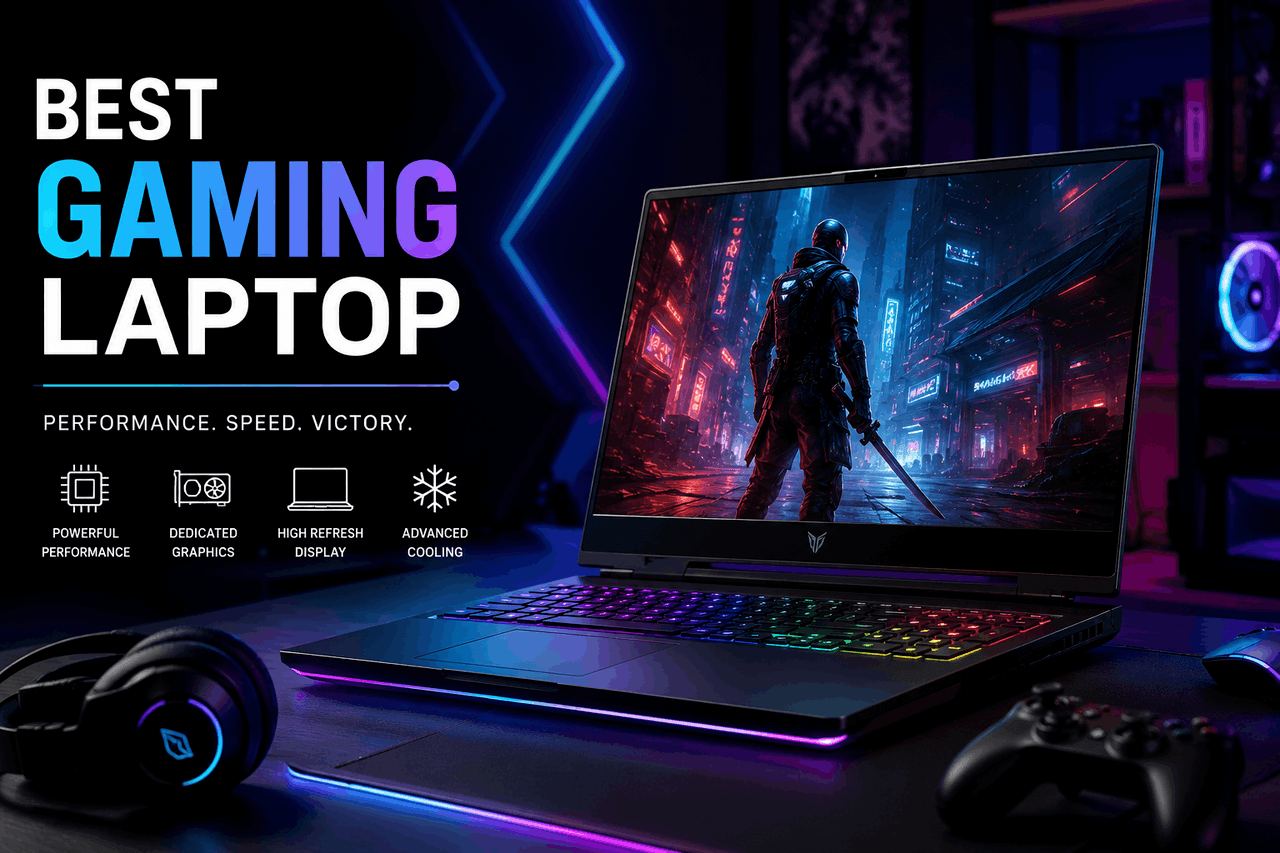
The best gaming laptop balances a capable graphics card (like the NVIDIA GeForce RTX 4060) with a fast processor, enough RAM, and a high-refresh-rate display. Choose high-end models like the Razer Blade 16 for maximum performance, or entry-level options like the Lenovo Legion 5 if keeping costs low matters more than playing on ultra settings.
Gaming laptops offer a portable way to play demanding video games. A gaming laptop is simply a portable computer built with dedicated graphics processors and advanced cooling systems designed to handle heavy workloads. That means you can run intensive software smoothly without needing a bulky desktop setup.
The technology behind these machines has changed significantly. In the past, buying a gaming laptop meant accepting a heavy, thick computer that needed to stay plugged in constantly. Today, you will find a wide range of options—from thin, travel-friendly models that fit in a backpack to massive desktop replacements that offer peak performance.
Understanding how these components work together helps you find the right machine for your budget and habits. Here is how to navigate the current market and select the best gaming laptop for your specific needs.
What components make a laptop good for gaming?
A laptop is only as fast as its components. When you shop for a gaming computer, you are primarily paying for five main components.
What is the difference between Intel and AMD processors?
The central processing unit (CPU) acts as the brain of your computer. It handles the logic and physics calculations in your games. From Intel Core i5 and i7 chips to AMD Ryzen 5 and Ryzen 7 processors, there is an option for every budget. Intel typically offers slightly higher clock speeds, which help in some games. AMD processors often run more efficiently, which saves battery life. Both brands offer excellent performance. That means your choice usually comes down to which brand is on sale.
How do NVIDIA and AMD graphics cards compare?
The graphics processing unit (GPU) is the most critical part of a gaming laptop. It draws the images on your screen. NVIDIA currently leads the market with its GeForce RTX 40-series cards, such as the RTX 4060, 4070, and 4080. These cards feature advanced ray tracing and frame generation technology. AMD offers Radeon RX 7000-series graphics cards. AMD GPUs usually cost less than NVIDIA cards but may not run ray tracing as smoothly. If visual fidelity is your main goal, an NVIDIA card is usually the safer bet.
How much RAM do you actually need for gaming?
Random Access Memory (RAM) holds the temporary data your game needs to run right now. If you do not have enough RAM, your game will stutter while pulling data from your storage drive. For modern gaming laptops, 16 gigabytes (GB) of RAM is the standard starting point. That gives you enough memory to run most games smoothly. Upgrading to 32GB of RAM is helpful for players who like to stream their gameplay or run heavy background applications.
Should you choose SSD or HDD storage?
Solid State Drives (SSDs) load games and start your computer much faster than older Hard Disk Drives (HDDs). Almost all modern gaming laptops use SSDs exclusively. Some use a hybrid approach or allow you to add a second drive later. You should look for a laptop with at least 1 terabyte (TB) of SSD storage. Games are taking up more space than ever, so a 512GB drive will fill up very quickly.
What display specifications matter most?
Your display determines how your games look and feel. Resolution controls image sharpness, while refresh rate controls smoothness. Most gaming laptops offer 1080p (Full HD) or 1440p (QHD) resolution. A 144p display looks sharper but requires a stronger GPU to run well. You also want a refresh rate of at least 144 hertz (Hz). A 144Hz screen updates the image 144 times per second, making fast-paced action look incredibly smooth.
What factors should you consider when buying a gaming laptop?
Knowing the parts is only half the battle. You also need to think about how you will actually use the machine every day.
How much should you spend on a gaming laptop?
Setting a realistic budget is your first step. Entry-level gaming laptops generally cost between $700 and $1,000. Mid-range options range from $1,000 to $1,800, while high-end machines can easily cost over $2,500. A more expensive laptop will play games at higher settings and last longer before needing a replacement. But spending more money also means taking on more financial risk if the machine breaks or gets stolen.
Do you prefer portability or maximum power?
Thin and light gaming laptops weigh under four pounds and are easy to carry to work or school. However, their smaller size means they cannot cool their internal parts as effectively. As a result, they cannot run as fast as thicker laptops. Larger laptops offer desktop-level power but are heavy and difficult to travel with. A 15-inch laptop basically splits the difference here, giving you moderate portability and strong performance.
Why is the cooling system so important?
Gaming laptops generate a lot of heat. If a laptop gets too hot, it will intentionally slow down its CPU and GPU to prevent damage. This is called thermal throttling. Look for laptops that feature multiple cooling fans, large exhaust vents, and vapour chamber cooling technology. Good cooling keeps your games running smoothly, but it usually makes the laptop louder when the fans spin up.
What makes a good laptop keyboard and trackpad?
You will touch the keyboard and trackpad every time you use the computer. A good gaming keyboard offers deep key travel and fast response times. Many models also feature customizable backlighting, making it easier to play in dark rooms. While a trackpad is fine for browsing the web, you will almost certainly want to buy an external mouse for gaming.
How long does a gaming laptop battery last?
Battery life remains the biggest weakness of gaming laptops. Because the CPU and GPU require so much power, most gaming laptops only last 2 to 4 hours when gaming away from a wall outlet. They might last six to eight hours when just watching videos or typing documents. You should treat a gaming laptop as a portable desktop that occasionally runs on battery, rather than a true all-day mobile device.
Which gaming laptop brands are the most reliable?
From established veterans to specialised boutique builders, the market is crowded with brands. Here is a look at the major players.
What does ASUS ROG offer?
ASUS Republic of Gamers (ROG) builds premium laptops with unique designs. Their Zephyrus line is highly regarded for packing strong components into very thin frames. They offer great screens and excellent speakers.
Why choose MSI gaming laptops?
MSI focuses purely on performance and gaming aesthetics. They offer a wide range of models, from the affordable Katana series to the premium Titan series. MSI laptops often feature excellent cooling systems, though their designs can be slightly bulky.
Are Alienware laptops worth the price?
Dell owns Alienware, a brand famous for its futuristic designs and premium build quality. Alienware laptops use high-end materials and offer excellent customer support. That said, you often pay a premium for the brand name compared to similar laptops from other companies.
Who should buy a Razer laptop?
Razer builds sleek, aluminium-bodied laptops that look similar to Apple MacBooks but run Windows and play games. The Razer Blade series is perfect for professionals who want a laptop that looks appropriate in a meeting but can play heavy games at night. They are very expensive, however.
What is the Acer Predator line known for?
Acer splits its gaming laptops into the budget-friendly Nitro line and the premium Predator line. The Acer Predator Helios models consistently offer great value for money, combining fast screens with strong GPUs at reasonable prices.
Why is Lenovo Legion so popular right now?
Lenovo Legion laptops have gained massive popularity recently due to their excellent cooling, subtle designs, and competitive pricing. The Legion 5 and Legion 7 lines are highly recommended for buyers who want reliable performance without aggressive “gamer” styling.
What are the best gaming laptops to buy right now?
Based on recent hardware releases in 2023 and 2024, here is how the current models stack up across different price points.
What is the best high-end gaming laptop?
For the ultimate gaming experience, the ASUS ROG Zephyrus G16 and the Razer Blade 16 are top contenders. Equipped with NVIDIA RTX 4080 or 4090 GPUs, these machines run any game at maximum settings. They feature OLED displays with incredible colour accuracy. But the greater rewards come with a high cost, often exceeding $3,000. These are for enthusiasts who refuse to compromise on visual quality.
What is the best mid-range gaming laptop?
The Lenovo Legion Pro 5i offers the best balance of price and performance. Usually priced around $1,400 to $1,600, it includes an Intel Core i7 processor and an NVIDIA RTX 4060 or 4070 GPU. It handles 1440p gaming beautifully and stays cool under pressure. This is the sweet spot for most buyers.
What is the best budget-friendly gaming laptop?
Entry-level gaming is dominated by the Acer Nitro 5 and the ASUS TUF Gaming A15. Priced under $1,000, these laptops use NVIDIA RTX 4050 GPUs and 1080p screens. You will need to turn down some graphical settings in the newest games, but they provide a smooth, enjoyable experience for players on a tight budget.
How can you make your gaming laptop run faster?
Once you buy a laptop, you need to maintain it to keep it running well. A few simple habits will extend the life of your machine.
Why do you need to update drivers regularly?
Drivers are software instructions that tell your computer how to use its hardware. NVIDIA and AMD release new GPU drivers frequently to fix bugs and improve performance in new games. Updating your graphics drivers through the NVIDIA GeForce Experience or AMD Adrenalin software ensures you get the highest possible frame rates.
How do you optimise laptop software?
Background applications drain your memory and CPU power. Close web browsers and chat applications before launching a heavy game. Additionally, use the control software provided by your laptop manufacturer (like Lenovo Vantage or ASUS Armoury Crate) to switch your laptop into “Performance Mode” when gaming.
What physical maintenance does a gaming laptop need?
Dust is the enemy of a gaming laptop. As fans pull in cool air, they also pull in dust, which clogs the heat sinks and causes the laptop to overheat. Every six months, use a can of compressed air to blow dust out of the laptop vents. Keep the laptop on a hard, flat surface when playing; placing it on a bed or carpet will block the air intake.
What does the future hold for gaming laptops?
The gaming hardware industry moves quickly. Several new trends will shape the next generation of portable gaming computers.
How will AI integration change gaming laptops?
Artificial intelligence is changing how GPUs render graphics. NVIDIA’s DLSS (Deep Learning Super Sampling) uses AI to generate new frames and upscale images, allowing weaker graphics cards to perform like high-end ones. Future laptops will rely heavily on AI to improve battery life and adjust cooling fans automatically based on your behaviour.
Will cloud gaming replace gaming hardware?
Services like NVIDIA GeForce NOW and Xbox Cloud Gaming allow you to stream games over the internet. The game runs on a remote server, meaning you do not need a powerful GPU in your laptop. While cloud gaming is growing, it requires a very fast and stable internet connection. Traditional gaming laptops will remain the standard for players who want guaranteed performance without internet lag.
What are the newest display technologies?
OLED and Mini-LED screens are becoming standard on premium laptops. These displays offer perfect black levels and incredible brightness, making games look much more realistic than on standard LCD screens. As these technologies become cheaper to produce, they will eventually make their way into mid-range and budget laptops.
How to choose your next gaming laptop
Buying a gaming laptop requires balancing your desire for performance against your budget and portability needs. Decide how much you are willing to spend first. Then, prioritise the GPU, as it dictates how well your games will run. Choose a processor and RAM configuration that support that GPU, and pick a display resolution that matches the hardware’s capabilities.
Whether you choose a budget-friendly Acer or a top-tier Razer, maintaining the system and keeping its software up to date will ensure you get years of enjoyment from your purchase.
FAQs about gaming laptops.
How much RAM is required for a gaming laptop in 2026?
You should aim for 16GB of RAM as the minimum for modern gaming. If you plan to play very heavy simulation games, stream your gameplay to Twitch, or do video editing, upgrading to 32GB of RAM is highly recommended.
Can you upgrade a gaming laptop after buying it?
You can usually upgrade the RAM and the SSD storage in a gaming laptop. However, the processor (CPU) and graphics card (GPU) are permanently soldered to the motherboard and cannot be changed. You must buy the CPU and GPU you want upfront.
How long does a gaming laptop typically last?
A mid-range or high-end gaming laptop will typically play new games reasonably well for four to five years. After that, you may need to lower your game settings to maintain smooth frame rates as newer, more demanding games are released.
Should I keep my gaming laptop plugged in while playing?
Yes, you should always plug your gaming laptop into the wall outlet when playing heavy games. Laptops drastically reduce their CPU and GPU power when running on battery to prevent the battery from draining in under an hour.
Are gaming laptops good for everyday work and school?
Yes, gaming laptops are very capable of handling everyday tasks like writing documents, browsing the web, and running heavy engineering or video editing software. However, they are heavier to carry and have shorter battery life than standard office laptops.