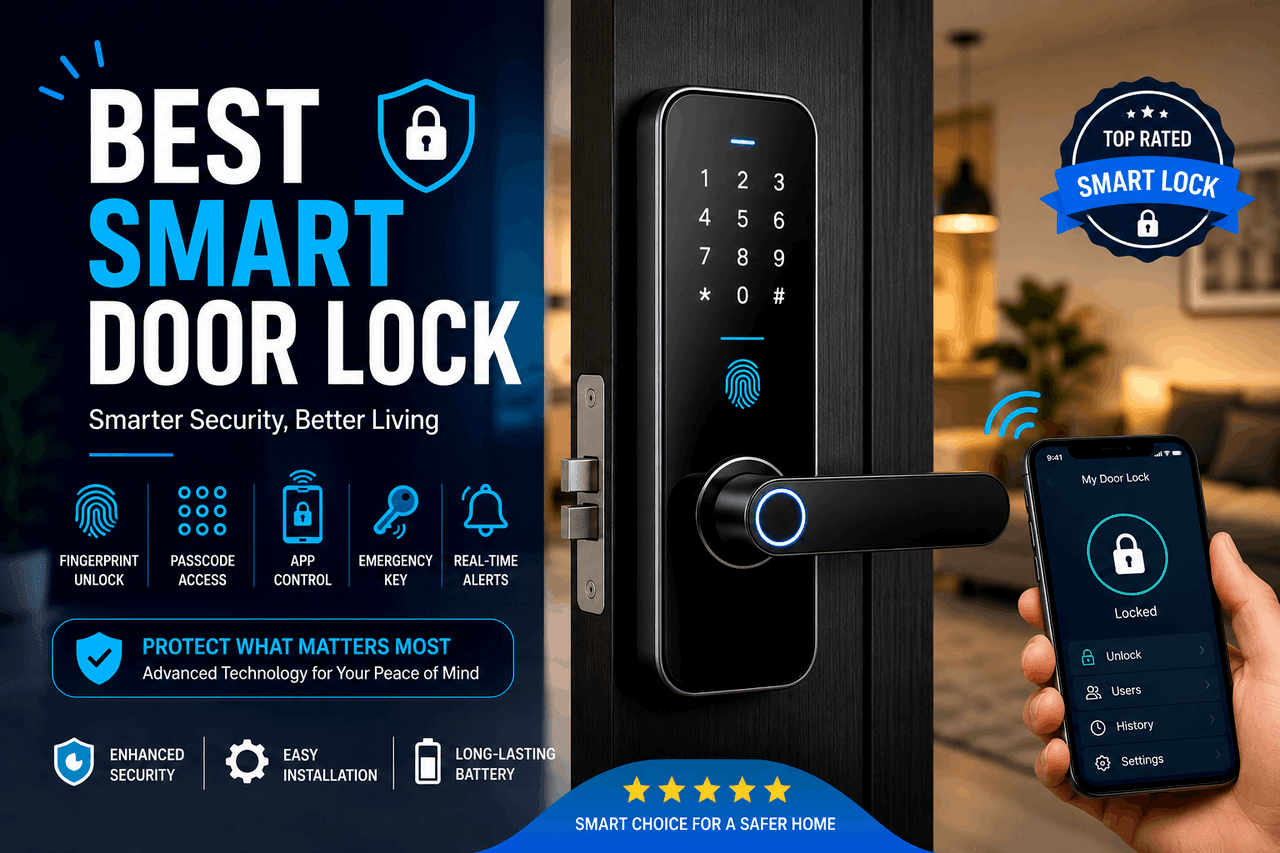
The best smart door lock in the USA depends on your specific needs. Choose the Yale Assure Lock 2 for overall reliability and broad smart home compatibility. Choose the August WiFi Smart Lock if you want to keep your existing exterior deadbolt. Choose the Schlage Encode Plus if you rely heavily on Apple HomeKit.
Upgrading your front door hardware used to mean simply picking out a new metal deadbolt. Today, you have access to digital locks that connect directly to your home network. Smart door locks let you lock and unlock your door via a keypad, a smartphone app, or even your fingerprint.
From basic keypad entries to advanced models with built-in WiFi and voice-assistant compatibility, there is an option for every skill level and budget. That means you can find a lock that fits your daily routine and combine it with your existing security system to create a well-rounded smart home.
According to [Strategy Analytics, 2023], over 30% of broadband households in the USA now own a smart door lock. As these devices become standard home fixtures, sorting through the options requires looking past the marketing jargon. You need to know exactly what fits your door, connects to your network, and keeps your family safe.
This guide breaks down the top models available in the USA. It covers how they work, the trade-offs involved, and how to choose the right one for your front door.
What factors should you consider when choosing a smart door lock?
Before buying a smart door lock, evaluate your home’s infrastructure and your daily habits. A lock that works perfectly for a tech-savvy homeowner might frustrate someone who prefers a traditional physical key.
Security features
A smart door lock must first function as a secure physical lock. Look for American National Standards Institute (ANSI) Grade 1 or Grade 2 certifications, which indicate strong resistance to physical attacks. Many locks also offer digital security features, such as two-factor authentication for the companion app and auto-lock timers that secure the door after a set period.
Connectivity options
Smart door locks connect to your home using different wireless protocols. WiFiWi-Fi locks connect directly to your home router, so you can control them from anywhere. Bluetooth locks require you to be within a few feet of the door to operate them via smartphone. Z-Wave and Zigbee locks require a separate smart home hub to communicate with your network. Choose WiFi for easy setup, or choose Z-Wave if you want to conserve battery life and already own a compatible hub.
Compatibility with smart home systems
If you use voice assistants, you will want a lock that integrates smoothly. Make sure the smart door lock explicitly states compatibility with Amazon Alexa, Google Assistant, or Apple HomeKit. That means you can lock your door simply by speaking a command before you go to bed.
Installation requirements
Some smart door locks completely replace your existing deadbolt, requiring you to install new exterior and interior hardware. Other models attach only to the interior thumb turn, leaving the outside of your lock untouched. Choose a full replacement if your current deadbolt is old or sticky. Choose an interior-only retrofit if you rent your home or want to keep your current house keys.
Battery life
Smart door locks run on batteries, typically standard AA batteries. WiFi locks consume the most power and often require battery replacements every three to six months. Bluetooth and Z-Wave locks use less power and can last up to a year. Consider how often you plan to change the batteries before choosing a WiFi model.
What are the top 5 smart door locks available in the USA?
The market offers dozens of reliable options. This list starts with highly versatile smart door locks and then moves on to specialized options, giving you a healthy mix of features and price points.
Yale Assure Lock 2: Best overall smart door lock for most homes
The Yale Assure Lock 2 replaces your entire deadbolt and offers a sleek, compact design. It comes in both keypad and touchscreen variations.
- Who it is for: Homeowners who want a reliable, attractive lock that works with almost every major smart home platform.
- Risks: The WiFi version drains batteries quickly, often requiring replacement every 3 months.
- Rewards: You get broad compatibility, a highly responsive keypad, and a DoorSense sensor that tells you if the door is actually closed. That is built-in peace of mind.
- Next step: Choose the Bluetooth version if you want longer battery life and do not need remote access while away from home.
August WiFi Smart Lock: Best for keeping your existing deadbolt
The August WiFi Smart Lock attaches to the inside of your door, turning your existing deadbolt into a smart lock.
- Who it is for: Renters or homeowners who want smart features without changing their exterior hardware or their current keys.
- Risks: The device is bulky on the inside of the door, and the CR123 batteries can be expensive to replace.
- Rewards: Installation takes less than 15 minutes. It connects directly to WiFi without needing an extra bridge.
- Next step: Check your current deadbolt brand to ensure it is compatible with August’s adapters before purchasing.
Schlage Encode Plus: Best smart lock for Apple HomeKit users
The Schlage Encode Plus is a heavy-duty deadbolt replacement that supports Apple Home Key technology.
- Who it is for: Users deeply invested in the Apple ecosystem who want the highest physical security rating (ANSI Grade 1).
- Risks: It carries a higher price tag than most competitors, and the design is quite large.
- Rewards: You can unlock your door by simply tapping your iPhone or Apple Watch against the lock, even if your device’s battery is dead.
- Next step: Choose this model if you value physical durability and seamless Apple integration over a minimalist design.
Wyze Lock: Best budget-friendly smart door lock
The Wyze Lock is another retrofit option that offers remote access at a fraction of the cost of premium brands.
- Who it is for: Budget-conscious buyers who want basic smart lock functionality without spending hundreds of dollars.
- Risks: The companion app can be cluttered, and it lacks Apple HomeKit support.
- Rewards: You get a built-in WiFi gateway included, making remote access easy to set up right away.
- Next step: Purchase the separate Wyze Keypad if you want to give guests a code instead of requiring them to download an app.
Ultraloq U-Bolt Pro WiFi: Best smart lock with a fingerprint reader
The Ultraloq U-Bolt Pro WiFi offers six different ways to unlock your door, including a built-in biometric fingerprint scanner.
- Who it is for: Families with children or users who frequently forget their keys and phones.
- Risks: The fingerprint reader can occasionally struggle with wet or very dirty hands.
- Rewards: You can open the door in under a second with just your finger. It also includes a hidden physical keyhole for backup access.
Next step: Register multiple angles of your fingerprint during setup to ensure the scanner reads it accurately every time.
How do the best smart door locks in the USA compare?
Smart Door Lock Model | Connectivity | Installation Type | Key Feature | Price Range |
|---|---|---|---|---|
Yale Assure Lock 2 | Wi-Fi or Bluetooth | Full Replacement | Door open/closed sensor | $160 – $260 |
August Wi-Fi Smart Lock | Wi-Fi | Interior Retrofit | Keeps existing keys | $200 – $230 |
Schlage Encode Plus | Wi-Fi, Thread | Full Replacement | Apple Home Key support | $300 – $330 |
Wyze Lock | Wi-Fi (via hub) | Interior Retrofit | Budget pricing | $100 – $130 |
Ultraloq U-Bolt Pro | Wi-Fi | Full Replacement | Fingerprint scanner | $180 – $200 |
How does smart door lock technology actually work?
At their core, smart door locks use a small electronic motor to turn the deadbolt mechanism. Instead of relying purely on a physical key to trigger this motor, the lock receives digital signals.
When you enter a code on a keypad, the lock’s internal processor compares it to its memory. If it matches, the motor engages. When you use a smartphone, it sends an encrypted token to the lock via Bluetooth or WiFi. The lock decrypts the token, verifies your authorization, and unlocks the door.
Security protocols play a massive role here. Data transmitted between your phone and the smart door lock uses AES encryption with 128- or 256-bit keys. This is the same level of security used by online banking apps. That means hackers cannot easily intercept your signal to unlock your door.
What are the main benefits of owning a smart door lock?
Smart door locks offer several practical advantages that traditional locks cannot match.
The primary benefit is convenience. You never have to fumble for keys in the dark or while carrying groceries. Keyless entry systems let you unlock your door with a simple tap or a numeric code.
Remote access provides exceptional flexibility. If a plumber arrives early or your child forgets their key, you can unlock the door from your office using your smartphone. You can also issue temporary digital keys to dog walkers or house guests. These keys automatically expire after a set time, keeping your home secure.
Finally, integration with smart home systems allows for helpful routines. You can program your home to turn on the entryway lights and adjust the thermostat the moment your smart door lock unlocks.
What are the potential drawbacks and privacy risks of smart locks?
Convenience often comes with trade-offs. Smart door locks introduce new vulnerabilities that physical locks do not have.
The most obvious drawback is a reliance on technology. If your home’s WiFi goes down, you lose remote access. If the lock’s battery dies while you are outside, you could be locked out. However, most smart door locks warn you weeks in advance when the battery is running low. Many also retain a physical keyhole or offer emergency power terminals for a 9-volt battery.
Privacy is another valid concern. Smart door locks track exactly who enters your home and when. This data is stored by the manufacturer on cloud servers. While companies use strict encryption, data breaches are a risk with any internet-connected device. You must weigh the convenience of an activity log against your personal privacy preferences.
How do you install and maintain a smart door lock?
Installing a smart door lock is typically straightforward and requires only a Phillips-head screwdriver.
For a full deadbolt replacement, you will remove the two screws on the inside of your current lock, pull the old hardware apart, and insert the new smart lock components. The companion app usually provides step-by-step video instructions. Interior retrofit locks are even easier. You remove the interior thumb turn and attach the smart lock over the existing tailpiece.
Maintenance is minimal but essential. You should clean the keypad or fingerprint scanner with a dry microfiber cloth monthly. Avoid using harsh chemical cleaners, as they can damage the electronic sensors. Check the batteries in the app regularly and replace them with high-quality alkaline or lithium batteries to ensure reliable motor operation.
What future trends are shaping smart door lock technology?
The smart home industry moves quickly. A major upcoming trend is the widespread adoption of the Matter smart home standard. Matter allows devices from different brands to communicate seamlessly. As more smart door locks adopt Matter over Thread technology, you will see faster response times and longer battery life.
Biometrics are also improving. Future locks will likely feature facial recognition technology built directly into the exterior hardware, eliminating the need for keys, codes, or phones.
Which smart door lock is the right choice for your home?
There are many ways to secure your home. Choosing the best smart door lock comes down to balancing your budget with your preferred smart home ecosystem.
The Yale Assure Lock 2 basically splits the difference here, offering a great mix of features, design, and broad compatibility for most users. If you rent or want a simple installation, the August WiFi Smart Lock remains a top-tier choice. For Apple users, the Schlage Encode Plus is unmatched in physical durability and HomeKit convenience.
Evaluate your door, check your WiFi signal at the entryway, and choose the smart door lock that simplifies your daily routine.
FAQs about smart door locks in the USA
Are smart door locks safe to use on my front door?
Yes, smart door locks are generally very safe. They utilise AES encryption to protect digital signals and often feature the same physical ANSI grading as traditional deadbolts. Always keep your companion app updated and use a strong, unique password for your account to maintain optimal security.
Can a smart door lock work if the power or WiFi goes out?
Yes, a smart door lock will still operate physically without WiFi or home power. Because they run on internal batteries, the keypad and Bluetooth connections will continue to function. You simply lose the ability to control the lock remotely until the WiFi returns.
How long do batteries last in a smart door lock?
Battery life depends heavily on the lock’s connectivity. WiFi smart door locks typically last 3 to 6 months on a set of batteries. Bluetooth- or Z-Wave-enabled smart door locks use much less energy and often last 6 to 12 months before requiring a replacement.
Do I need a smart home hub to use a smart door lock?
It depends on the model. WiFi smart door locks connect directly to your router without a hub. Z-Wave or Zigbee smart door locks require a separate hub, such as a Samsung SmartThings hub or an Amazon Echo, to connect to the internet for remote access.