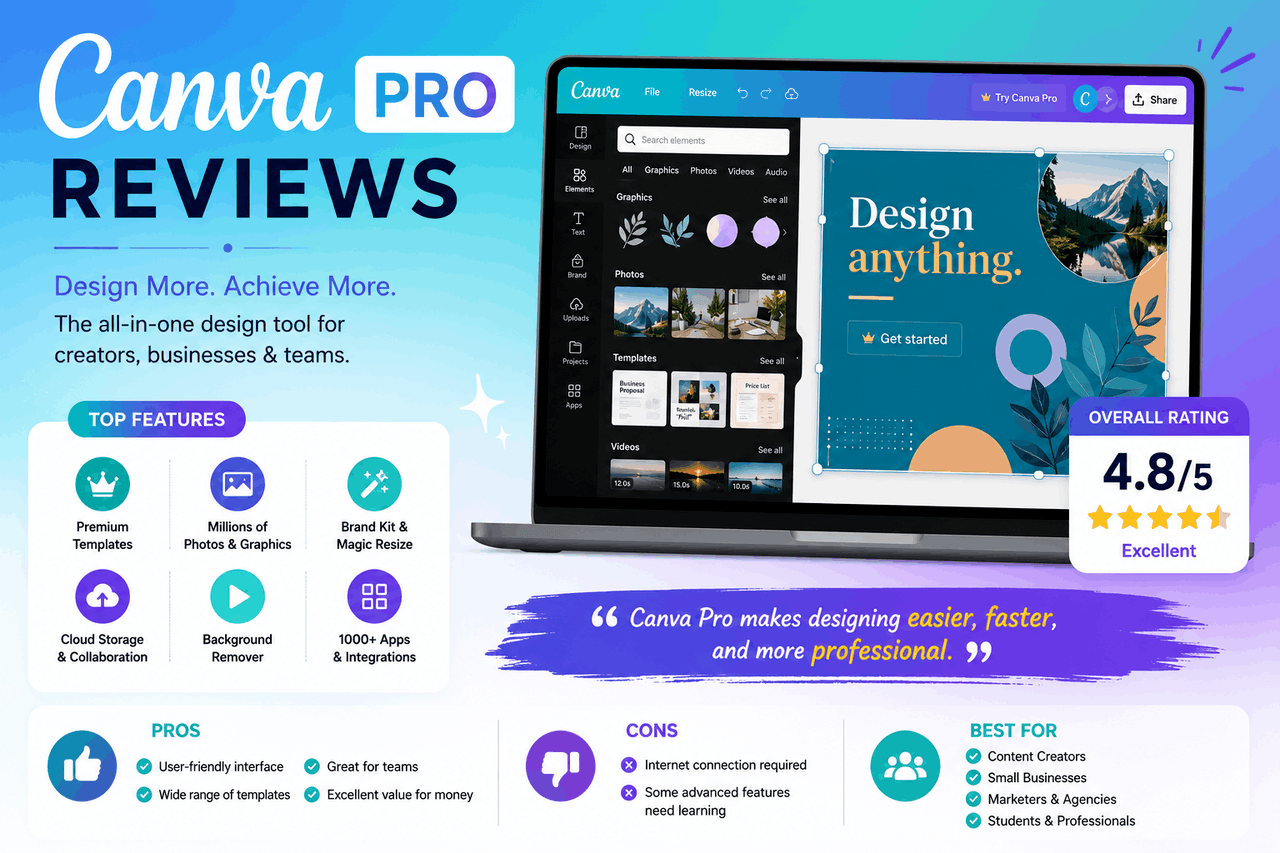
I remember sitting at my desk a few years ago, trying to build a clean marketing banner for an affiliate campaign. My expensive, professional design software had just crashed for the third time that afternoon. My laptop fans were screaming, my workspace looked like a chaotic puzzle, and my stress levels were through the roof. Out of pure desperation, I closed the heavy program, opened a browser tab, and signed up for a graphics app. Today, we will look at this tool in our detailed Canva Pro review to see if the paid upgrade actually deserves your hard-earned cash.
As an affiliate marketer who produces dozens of visual assets every single week, I know that slow design tools drain your energy and kill your profits. You need a platform that helps you build gorgeous graphics quickly without requiring a four-year art degree. The creator workspace changed completely when social platforms shifted heavily toward quick, visual content. Let us break down the exact features, hidden drawbacks, and real pricing of the premium version to see if it fits your business workflow.
The Great Design Divide: Free vs Pro
Before you input your credit card details, you must understand the true difference between Canva and Canva Pro. The free version of the platform is surprisingly generous, offering basic tools, standard text fonts, and roughly 250,000 templates. It is a fantastic starting line for casual hobbyists or people who only design a holiday card once a year.
Canva Free: 250K Templates + 5GB Storage + Basic Fonts
Canva Pro: 3.6M+ Templates + 100GB Storage + 100M+ Premium Assets + Full Brand Kits
However, if you design graphics to earn a living, the free account will make you pull your hair out. The primary frustration stems from the little golden crown icons scattered across the asset library. Every time you find a gorgeous photo or a clean layout, it is usually locked behind the premium paywall. Upgrading to the paid tier removes these digital locks completely, turning Canva Pro into your all-in-one design solution for daily creation.
Can I Build a Great Brand Logo on Canva?
One of the most frequent questions from new business owners is: “Is Canva good for logos?” The direct answer is yes, but only if you use the paid version. If you are wondering how to use Canva to design logo assets, the interface makes it incredibly simple. You open a blank canvas, pick a starting shape, add your company name, and adjust the spacing with a slider.
The Problem with Free Logos
If you use a free account, you will hit a massive roadblock the moment you hit the export button. Free users can only download files with a solid white background. If you try to place that logo onto a dark website header or a colorful t-shirt, it will look like an unprofessional white box.
Resolving the Quality Issue
The premium version unlocks the Transparent Background option, allowing your icon to sit perfectly on top of any color or image. Furthermore, if you want to know how to make a Canva logo higher resolution, the paid version includes a size-scaling slider during export. You can scale the image file up to three times its original size to keep your lines crisp and sharp when printed on large physical business banners.
However, you must keep one major legal rule in mind before you say, Can I design my own logo on Canva and trademark it? Canva’s standard licensing rules clearly state that you cannot trademark a logo that uses its pre-made stock graphics or templates. If you want a unique trademark, you must draw the raw shapes yourself from a blank page inside the editor.
Key Premium Features That Justify the Cost
Let us look at the heavy-duty features in the paid tier to see if they save you real time during the workweek.
- The Magic Background Remover: This single tool justifies the upgrade cost for e-commerce store owners. With one click, it perfectly cuts the background out of any product shot or portrait, saving you hours of manual masking.
- Magic Resize Tool: Imagine building a perfect square graphic for your Instagram feed. With the resize tool, you can instantly clone that exact layout and reformat it into a vertical layout for TikTok or a wide banner for Facebook with a single click.
- Brand Kit Organization: You can upload your specific company fonts, official hex color codes, and main logos into a centralized folder. This allows you to apply your company’s unique look to any new template instantly, keeping your social media channels perfectly matched.
- Massive Premium Stock Library: Paid users gain unlimited access to over 100 million premium stock photos, audio tracks, vector graphics, and video clips. You never have to pay for a separate stock photography subscription again.
Exploring the Canva Pro Product Design Sandbox
The application has expanded far past simple social media image posts. Modern creators use Canva Pro’s design tools to mock up physical merchandise before sending it to a printer.
The built-in Smart Mockups engine allows you to drop your digital art onto realistic images of t-shirts, coffee mugs, and book covers. The system automatically warps your graphic around the item’s curves, giving you a photo-realistic preview to show potential buyers. You can also edit full multi-page PDF documents, build interactive presentation slides, and cut short marketing videos inside the same browser window.
The Hunt for Free Pro Accounts: The Reality
The internet is full of sketchy links and videos promising a lifetime Canva Pro account for free. Many tech-savvy users search for phrases like Canva Pro your all-in-one design solution GitHub” to find shared developer tokens or cookie-bypass files.
Let us be completely straightforward here: these methods are almost always a trap. Most of those shared accounts are shut down by the platform’s security filters within 48 hours, deleting your saved project files along with them. Even worse, downloading custom scripts from random forums is a fast track to infecting your computer with dangerous data-stealing malware.
The Legit Way to Share: The Canva Pro Owner Account
If you want to share the platform safely, you need to understand how a real Canva Pro owner account manages permissions. The master owner can purchase extra user seats under their main account billing profile. This gives each person their own private workspace while sharing the main premium asset library and brand templates.
True Free Exceptions
There are only two groups of people who can get premium features completely free through official channels. Verified K-12 school teachers and their active students can sign up for the Education plan at zero cost. Registered non-profit organizations can also apply for the Nonprofits program to unlock premium tools for up to fifty team members without paying a dime.
Complete Pricing Breakdown
The company updated its subscription structures recently to account for all its new artificial intelligence design features. Let us look at the actual individual Canva Pro price plans available for your budget right now.
| Plan Choice Type | Billing Frequency | Total Estimated Cost | Storage Allowance |
Canva Free | Forever Free | $0 | 5 GB total storage |
Canva Pro (Monthly) | Paid Month-to-Month | ~$15.00 / month | 100 GB to 1 TB per person |
Canva Pro (Annual) | Paid Once per Year | ~$120.00 / year | 100 GB to 1 TB per person |
Canva Teams / Business | Per User Billing | ~$10.00 / user/month | 1 TB shared storage |
Paying for the annual plan upfront saves you roughly 33% compared to the month-to-month option, giving you 4 months of premium access for free.
Pros and Cons: An Honest Creative Assessment
Every software application has structural flaws, and a realistic evaluation must highlight the downsides alongside the praise.
The Benefits
- The system operates entirely in your web browser, so you do not have to download large files that slow down your computer.
- The learning curve takes less than twenty minutes to master, unlike complex editing software.
- The video library contains millions of high-definition clips, saving you the cost of buying expensive B-roll footage.
The Drawbacks
- The software requires a steady internet connection; you cannot edit your saved projects if you are on a plane without Wi-Fi.
- The system uses monthly usage limits for its high-end AI text-to-image generators.
- The recent price hikes on the team tier have made the software a bit heavy for growing agencies with large employee lists.
Summary of the Design Value
Our comprehensive investigation reveals that the premium subscription is an absolute home run for solo creators, freelance writers, and small business owners. It bridges the massive gap between boring text documents and professional-grade advertising imagery. The sheer volume of time you save with the background remover and automated resizing tools easily covers the monthly subscription fee. It eliminates the need to hire expensive freelance graphic designers for every social media post your business requires.
Final Actionable Takeaway
Do not buy a full annual subscription today if you are still feeling unsure about the tools. Instead, navigate to the official homepage at canva.com and sign up for their standard 30-day free trial.
Upload 3 of your own raw business images and run them through the background-removal tool. Build a complete social media graphic and export it as a transparent file to see how it looks on your live website. If the platform speeds up your content creation workflow and makes your brand look more professional, lock in the annual discount plan to give your business a powerful creative tool for the rest of the year.